1616
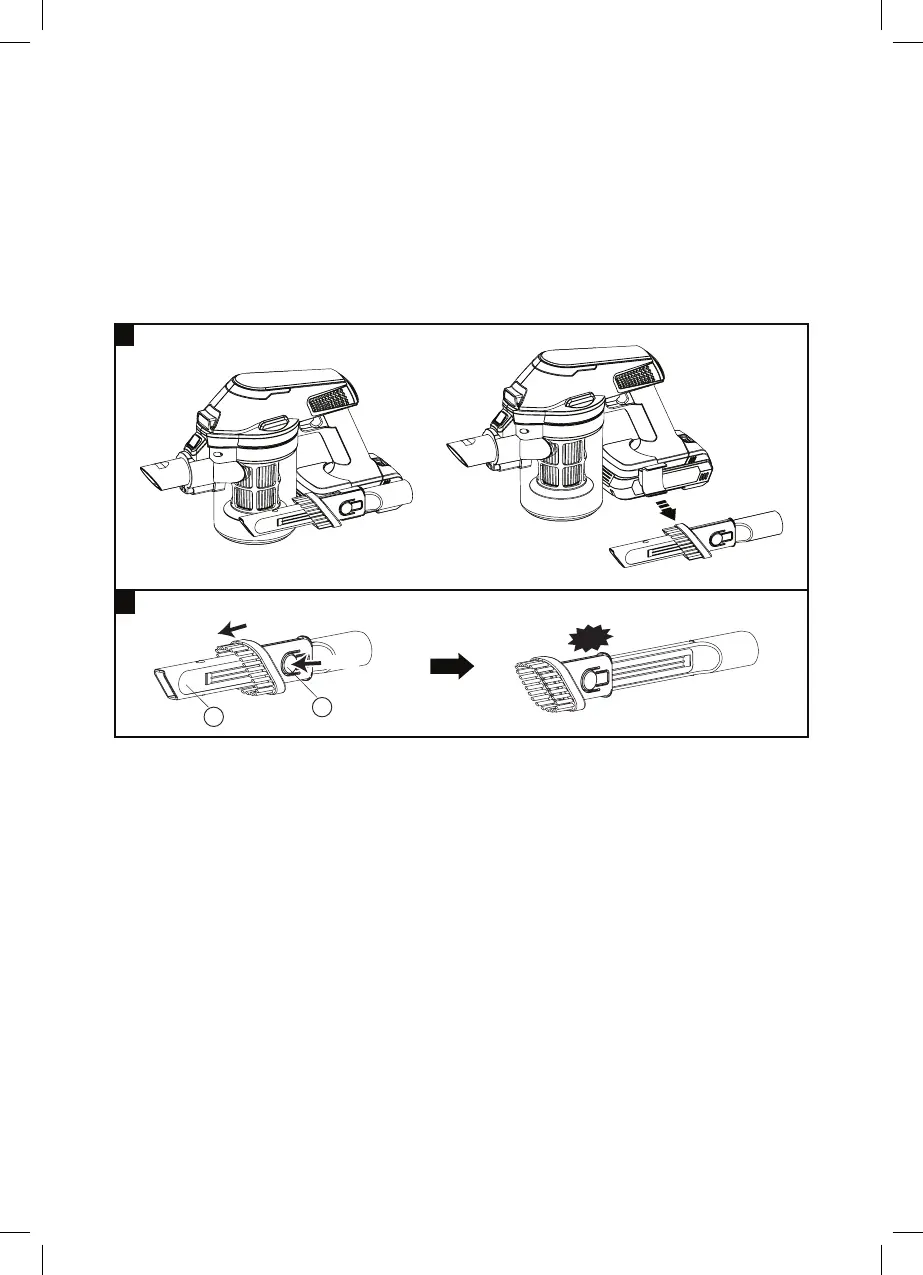
Crevice/ Mini Brush
Add or Remove Crevice holder
This accessory includes both Crevice & Brush function.
1. Pull out the Crevice / Mini Brush.
2. Press Mini brush button (M) and Push downward to the end of the
Crevice (N) until you hear a “Click” sound.
1. Optional for using the Crevice (N) / Crevice holder (U).
2. Take out the Crevice (N)
3. Press Dust container release button (C) then turning anti-clockwise
of the Dust container (D).
4. Open the Dust container (D) together with the Filter (E) by turning
anti-clockwise.
5. Remove the Dust container (D) by pulling down.
6. Slide out and remove the Crevice holder (U).
7. Put back the Dust container (D) together with the Filter (E).
8. Turn the Dust container (D) clockwise until you hear a click sound
into position.
9. Crevice holder (U) is now removed.
ACCESSORIES
N
M
Push
Press
Click
1
2



 To Next Page