18
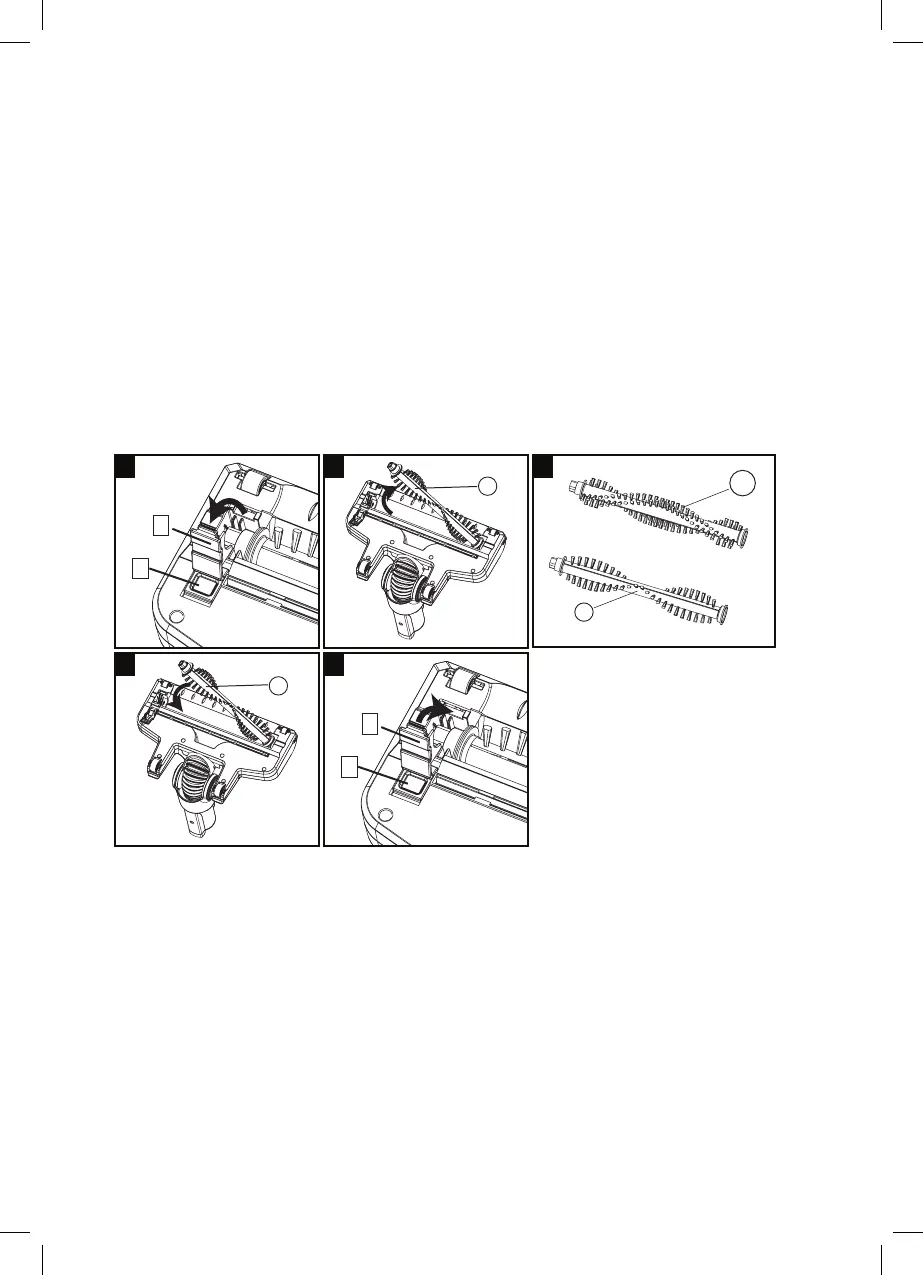
Change Brush Roller
1. Pull the Brush cover release button (e) backwards and dislodge the
Brush cover (f).
2. Lift up the left side of the Brush roller (Y) and then remove it.
3. Use either the Brush roller (Y) or the Animal roller (Y1) for
depending on your requirements.
4. Re-install the rotating Brush roller (Y or Y1) again.
5. Cover back brush cover (f) and check if the brush cover is securely
fixed and the roller brush easily rotates properly with your hand.
e
f
e
1 2
4 5
3
Y
Y
Y
Y1
f



 To Next Page