19
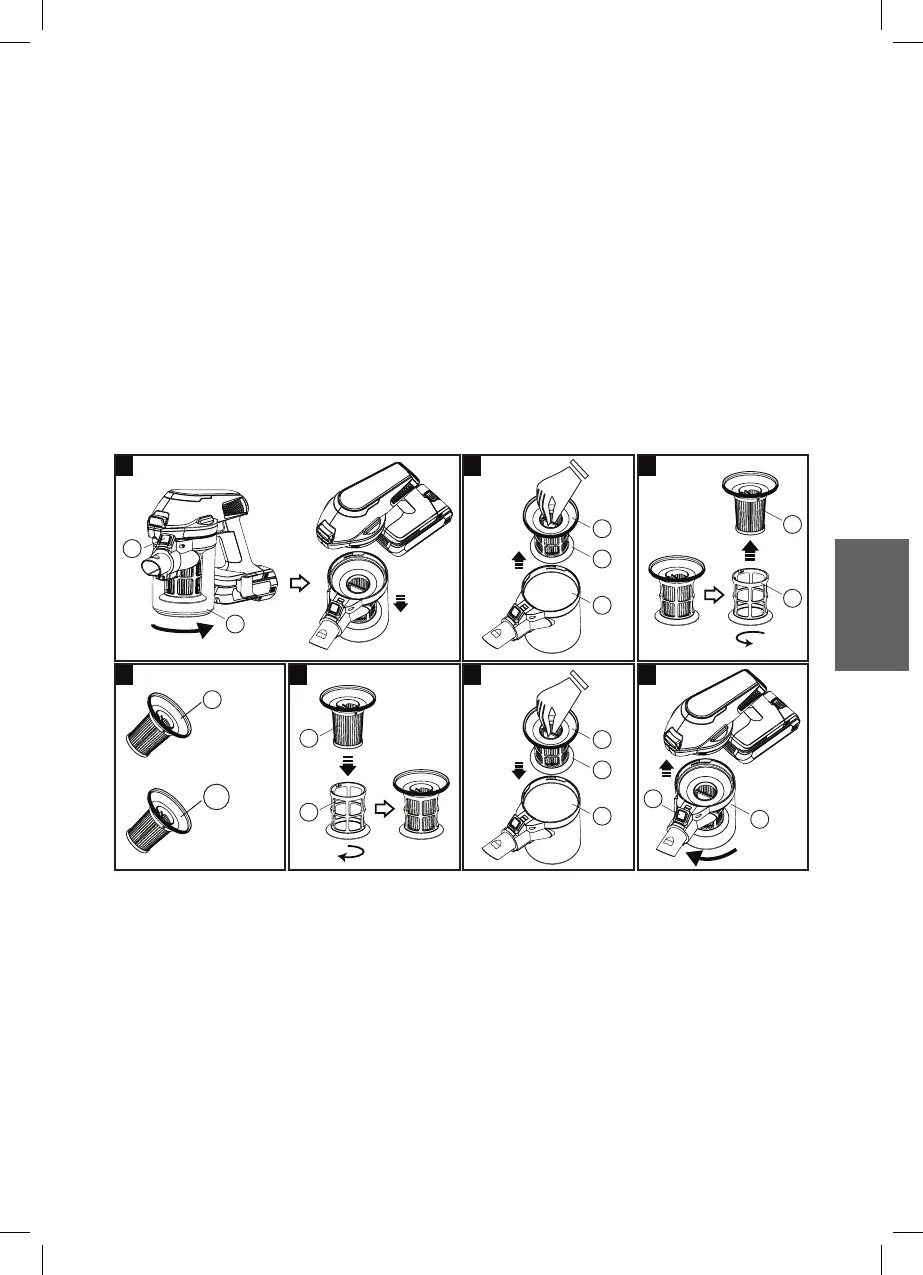
Change Filter
1. Remove the Dust container (D) by pressing the Dust container
r
elease
button (C) then turning anti-clockwise of the Dust container (D).
2. Pull up the Filter from the Dust container.
3. Remove the Inner Filter by turning anti-clockwise.
4. Change either EPA E10 filter (F) or HEPA H13 filter (F1) for Inner
filter.
5. Re-install the Inner Filter by turning clockwise.
6. Put back the Filter to the Dust container.
7. Re-install the Dust container (D) by turning clockwise.
F
F
F
E
D
F
E
D
E
F
E
C
D
C
D
1 2 3
4 5 6 7
EPA E10 Filter
HEPA H13 Filter
(Additional)
or
F1



 To Next Page