23
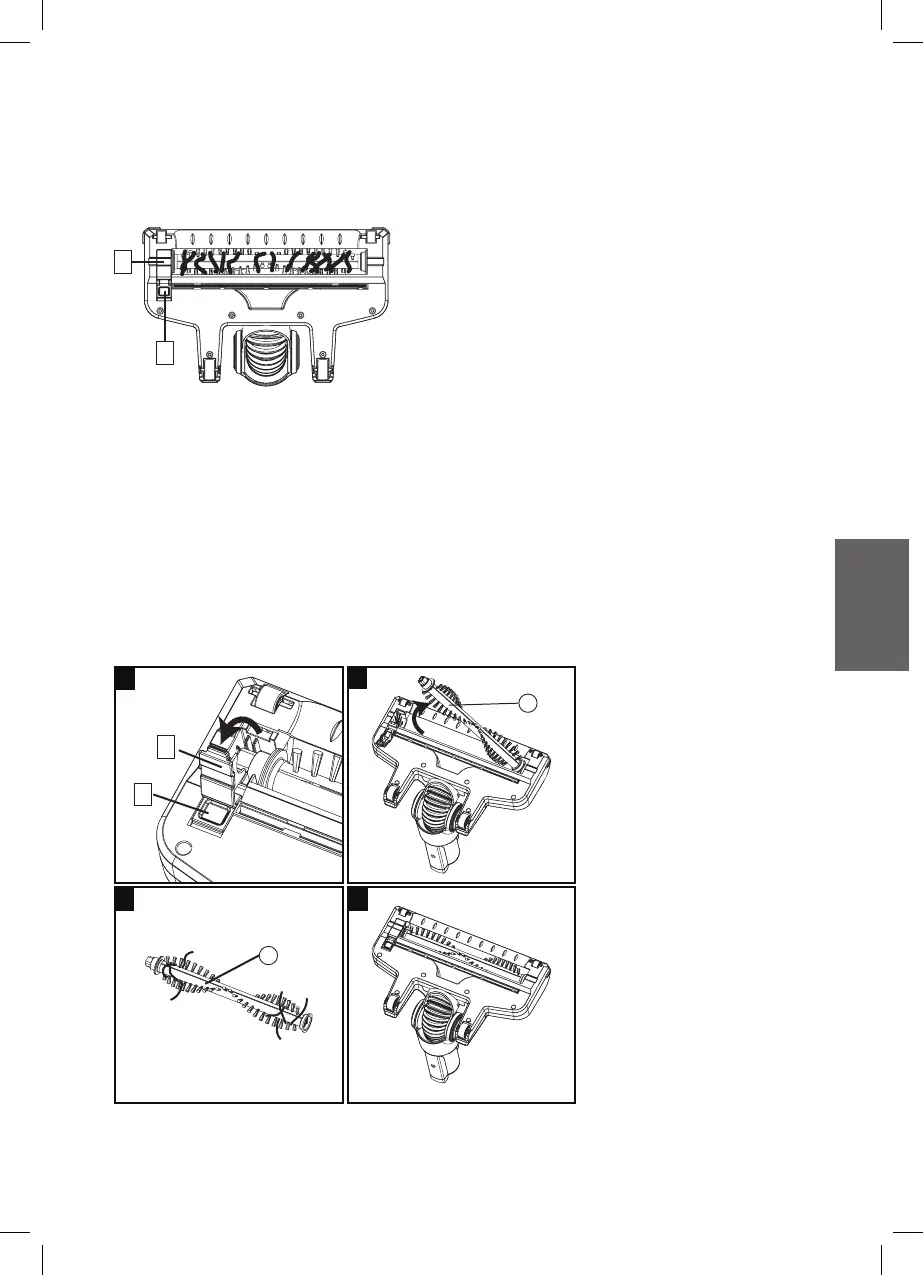
Carry out the following maintenance if any waste threads or hair gets
tangled in the brush by Stand (X) or manualy.
1. Pull Brush cover release button (e) backward and dislodge the
Brush cover (f).
2. Lift up left side of the Brush roller (Y) and then remove it.
3. Then remove the blockage and take out any waste.
4. Re-install the Brush roller (Y) again.
5. Finally, check if the brush cover is securely fixed and the roller
brush easily rotates properly with your hand. Cover back the brush
cover.
Floor Nozzle
Note: Check the rotating brush whether it is being clogged by hair or
other obstacle and remove it after each use.
f
e
f
e
Y
Y
1
2
3 4



 To Next Page