Rel. 03
21
Move mouse cursor onto the spindle drawing.
Release the left mouse button.
Spindle shall change its colour thus confirming the tool change.
Save changes.
23) Or press 1 time the button “Conf 1”
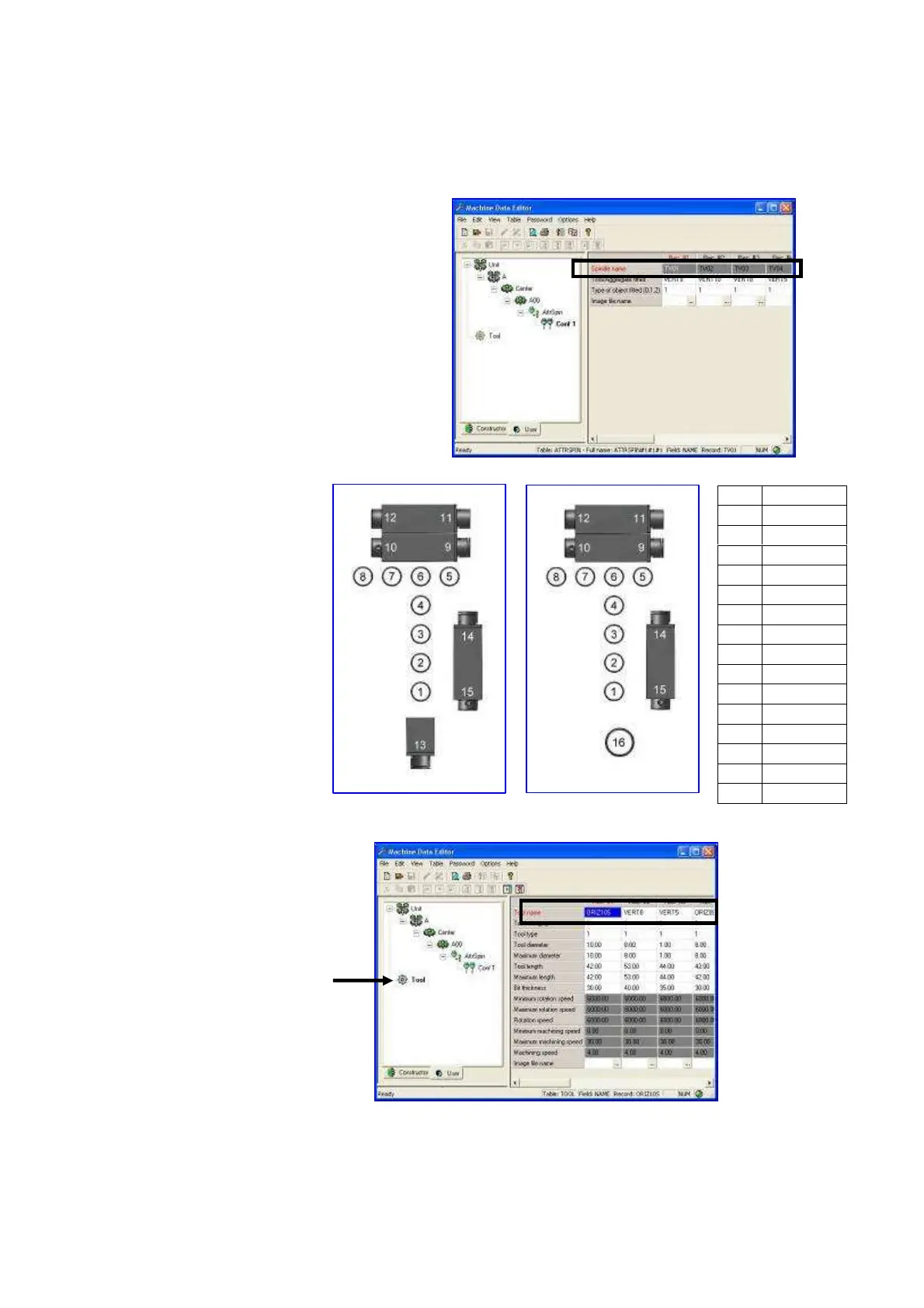
Type the name of the tool you wish to use in
the above boxes. Select the tool name from
the “Tool” section. Then save changes.
For spindle name please
check the side picture.
24) In order to create or
change a tool press
“Tool”
1 TV01
2 TV02
3 TV03
4 TV04
5 TV05
6 TV06
7 TV07
8 TV08
9 TH01_1
10 TH01_2
11 TH02_1
12 TH02_2
13 TLAMA
14 TH03_1
15 TH03_2
16 TFRESA


 To Next Page