Rel. 03
40
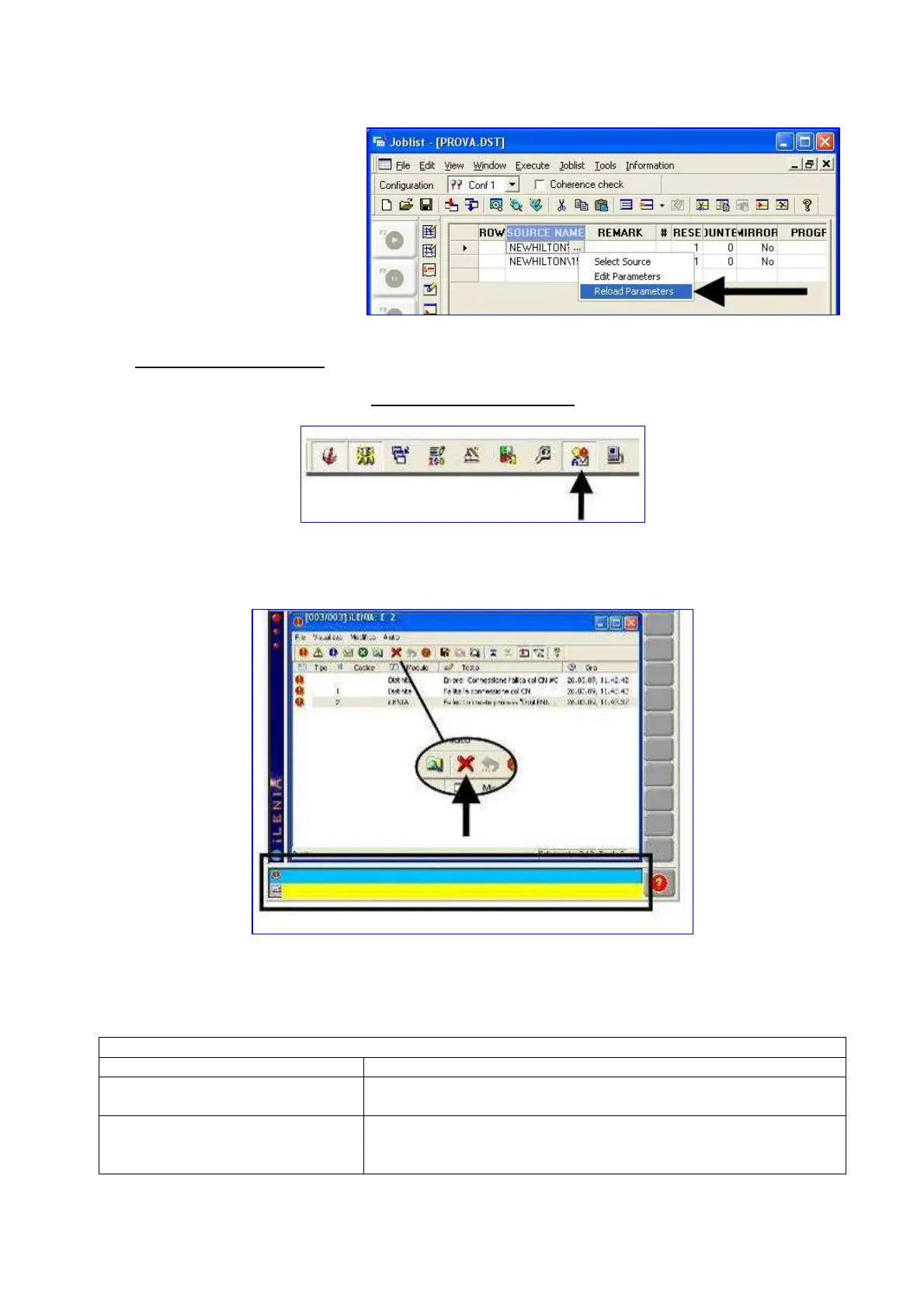
19) To retrieve the size of the
panel in drawing
7.3 FAILURES SIGNALLING
POINT’s failures resetting
Click on the icon
Then the failures screen will appear. Cancel previous failures by clicking on the following button:
Should failures writing still appear in the yellow or blue line, it means that the software is still
detecting some failures.
Here follows the list of possible failures:
YELLOW LINE FAILURES
Alarm Solution
Auxiliares are not on
Air is lacking
Press the start button
Extra-stroke X axis
Extra-stroke Z axis
Extra-strole YO1 axis
Turn the selector in position 1 (left position) Press the start
button
Go to the manual section and move the axis until it is over the


 To Next Page