12
6.1 Display
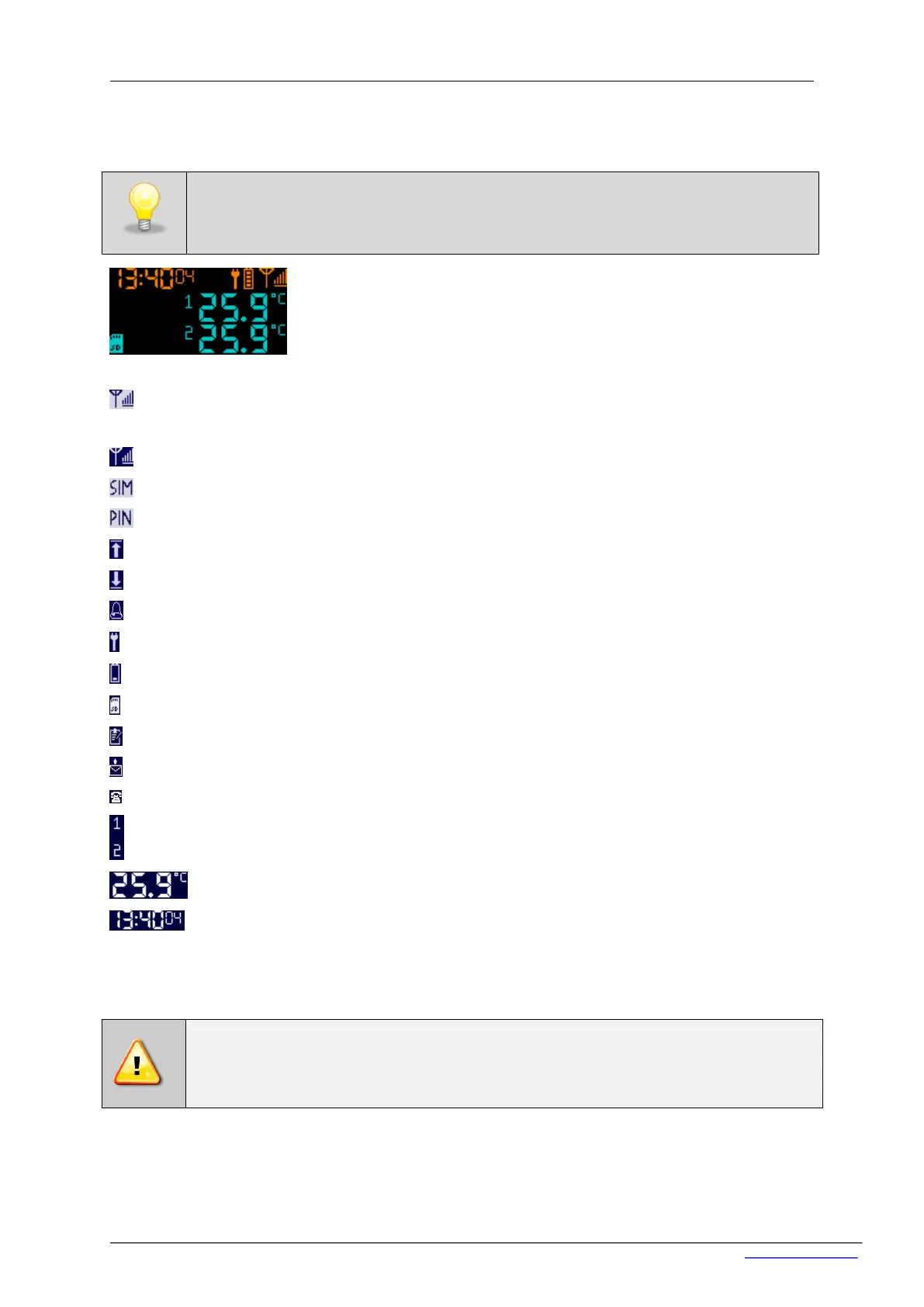
Main view of the RT2014
On the display the following icons can be shown:
– the device is not logged in GSM / WIFI network. The cause could be: no SIM card, damaged
SIM card, out of range, wrong settings WIFI network,
– the device is logged in GSM network. Quantity of vertical lines shows the strength of signal
– no SIM card,
– no typed or incorrect PIN code,
– temperature for a given sensor has risen above the value set in the application ('High'),
– temperature for a given sensor has decreased below the value set in the application (‘Low’),
– signalling of alarm event,
– the device is connected to a power source,
– battery status, growing symbols indicates battery charging,
– flashing icon indicates lack of microSD card
– micro SD card icon: continuous light – card is inserted, light flashes – saving data to the card
– sending text messages in progress. Index after icon @ indicates,on which emergency number
– calling in progress. Index after icon @ indicates on which emergency number
– sensor number
– temperature value
– Time / Date.
6.2 Actualization of the software
Software actualization should be made in the following order:
1. Make sure that the battery is charged,


 To Next Page