26
ATTACHMENT 2 INSTALLATION OF USB DRIVERS FOR
WINDOWS 8
Installation of USB drivers for Windows 8 is made in two stages:
STAGE 1 Disable the verification of digital signatures for Win8
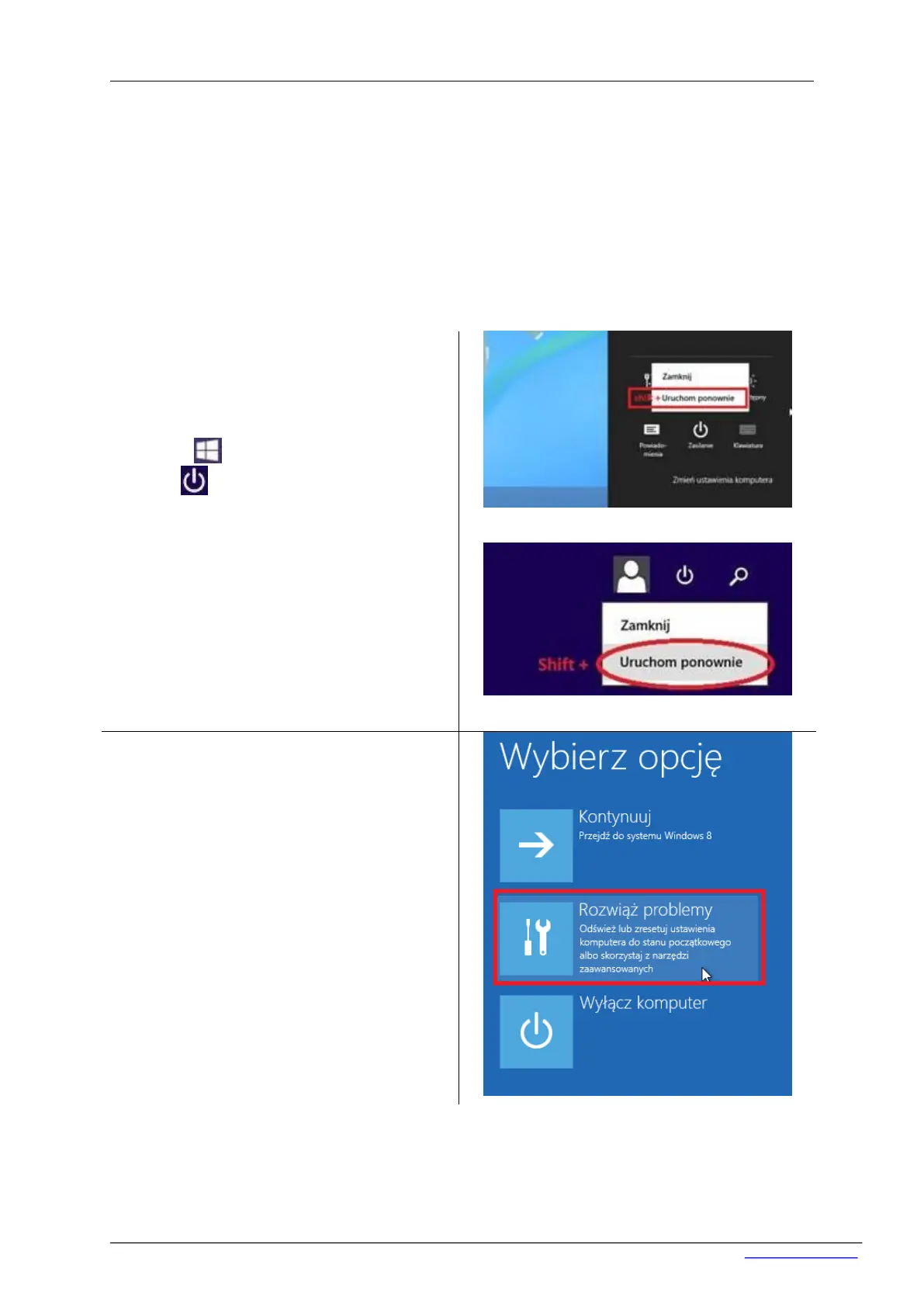
Variant 1 (pic.1)
Move the cursor to the bottom right corner of the
desktop. Go to the power options and click on the
‘Restart’ while pressing SHIFT.
Variant 2 (pic.2)
Click ‘Start’ and click in the right upper cor-
ner icon and then choose ‘Restart’ while
pressing SHIFT.
For Win8 with Win7 overlay Start → turn off →
Restart (with SHIFT).


 To Next Page