14
7 INSTALLATION OF THE PROGRAM
Should be installed:
• AVIA Software - used for parameterization of RT2014 unit, enables data exchange between
the RT2014 and PC and synchronize files,
• LabDesk Software - enables creation of graphs/charts and has the function to generate re-
ports of recorded .plk data files.
8 READING THE DATA
Registered data on the microSD card you can read by the following:
• Remove microSD card from the recorder and use SD card adapter using memory card reader
in your computer. Before you remove the card, turn off the recorder,
• Using the application AVIA.
The data on a memory card is stored in a folder which corresponds to the name of the data logger.
There are the following files:
• *.plk format - supported by supplied LabDesk software,
• In text format with extension *.txt – you can import it and analyze it in a spreadsheet program.
The name of the file depends on chosen type of registration and is created according to the scheme
below:
• daily – rrrrmmmdd, where: rrrr – year, mm - month, dd – day. For example: 20140401 re-
sponds to 1
th
April 2014.
• Weekly – rrrrWww, where: rrrr – year, ww – week number. For example. 2014W14 responds
14
th
week of 2014.
• Monthly – rrrrMmm, where: rrrr – year, mm – month. For example: 2014M04 responds to April
2014.
It’s recommended to copy the file with data on other recordable memory before reading or editing the
file.
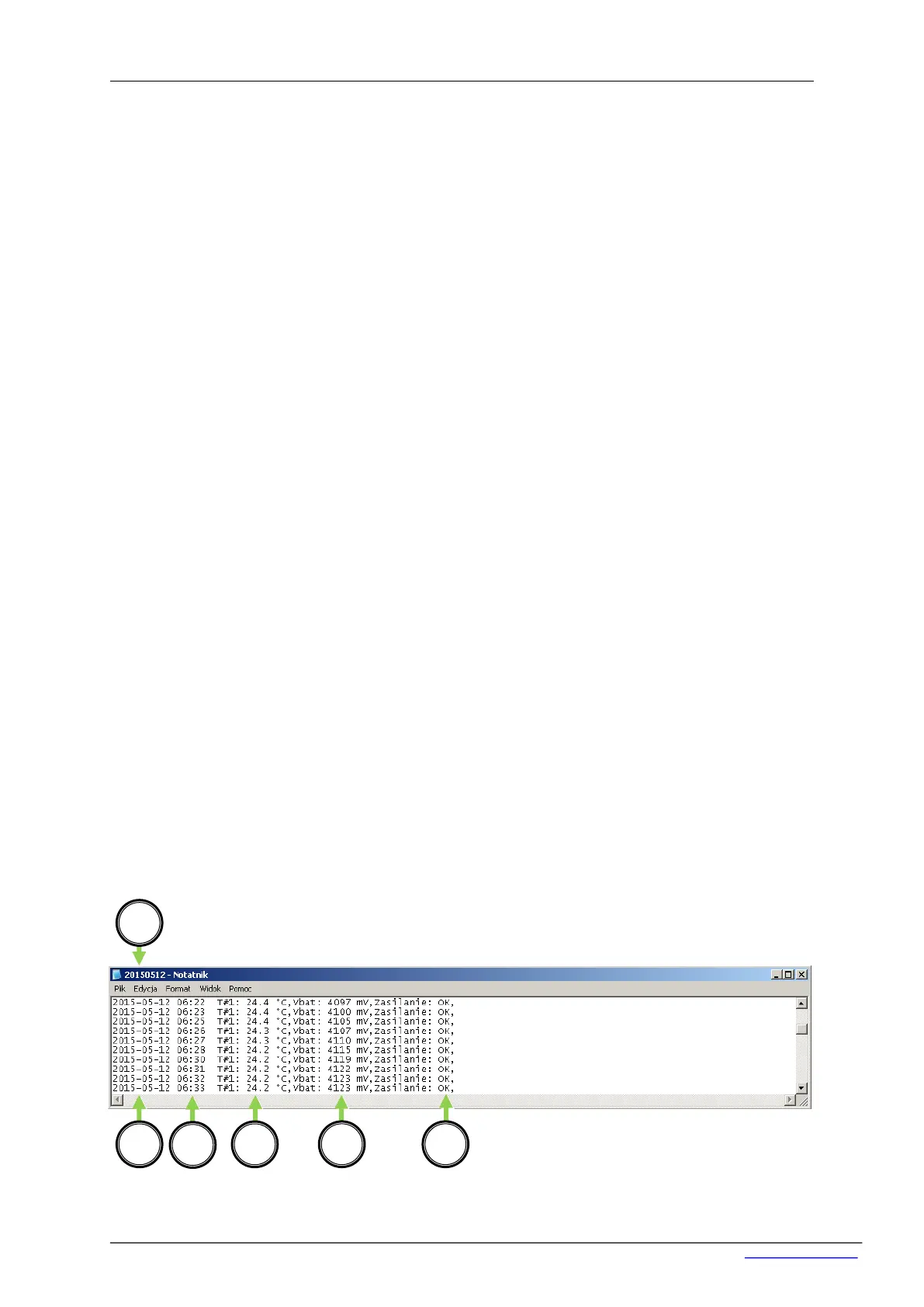
In the text file (.txt) the following data are saved:


 To Next Page