7
4 DESCRIPTION OF THE UNIT
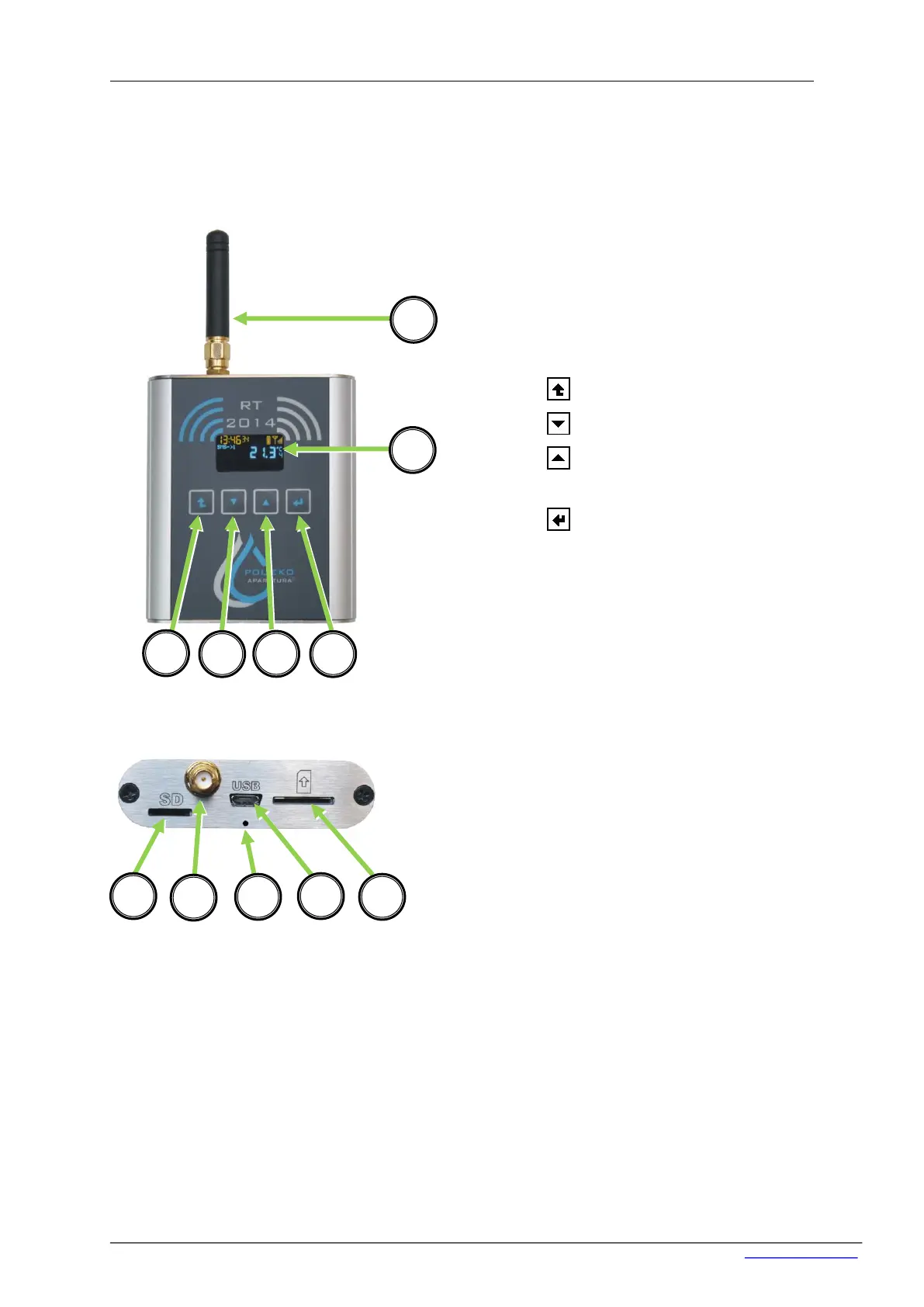
Picture below shows the essential parts of the data logger.
Front
Upper part
*for older versions reset button is located under top cover. In this purpose you have to:
1) Unscrew 2 black screws visible on the photo,
2) Take off the cover (the button is located under microUSB slot,
3) Proceed according to part 6.3 ‘Reset of the device’,
4) In the reverse order assemble the device.
1) GSM or WiFi Antenna,
2) OLED Display,
3) ESC, cancel button,
4) down button,
5) up button, switching on
of the device,
6) ENTER, accept button ,
7) microSD card, socket,
8) GSM/WiFi Antenna socket,
9) USB socket,
10) SIM card socket,
11) Reset button*


 To Next Page