Instruction manual RT 2014
POL-EKO-APARATURA sp.j. • ul. Kokoszycka 172 C • 44-300 Wodzisław Śl. • tel./fax +48/ 32 453 91 70 • e-mail info@pol-eko.com.pl
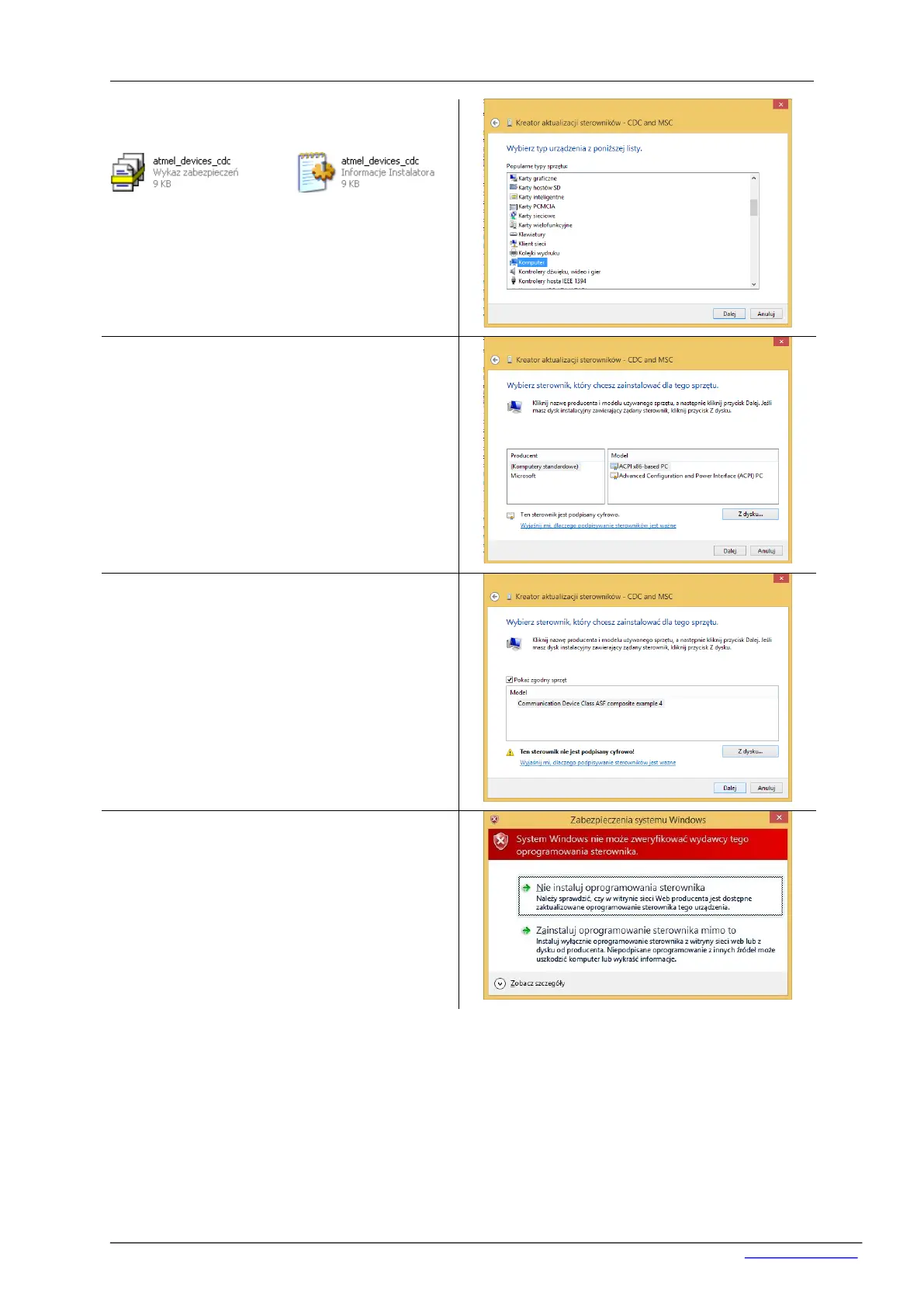
From the list choose the drivers location on DVD
(folder Driver: atmel_devices_cdc).
Copy them on local disc (e.g C: ). Then choose
localization – ‘Computer’ and go ‘Next’.
Choose ‘from hard disc’ and choose localizations
where drivers (atmel_devices_cdc). Click ‘Open’
and ‘OK’.
Choose ‘from hard disc’ and choose localizations
where drivers (atmel_devices_cdc). Click ‘Open’
and ‘OK’.
The window will appear. ‘Windows security’. Click
‘Install this driver software anyway’.


 To Next Page