26
27
Deleting Files
Deleting files one at a time
1. From the Time of Day, press the upper right button one time so
that “File” is displayed.
2. Press the red button one time to enter the file recall.
3. The last file you recorded will be displayed on the bottom row. If
you would like to delete this file go on to step 4. If you’d like to
delete a different file, select it by using the buttons on the right
side. When proper file number is displayed, go onto the next step.
4. To delete the displayed file, press and hold the upper left
button. “Delete FILE” and the file number will be displayed.
5. Press the red button. The display will read, “Are you sure?”, asking
you for a confirmation. Press the red button again to delete the
selected file. If you do not want to delete the file, pressing the
blue button will take you back to the previous display.
6. Press the blue button. “Wait...” is displayed while the receiver
reorganizes your files.
7. Press the blue button once more to bring you back to the Time
of Day screen.
Deleting all files at once
1. From the Time of Day mode, press the upper right button one
time so that “File” is displayed.
2. Press and hold the upper left button. “Delete FILEs” will flash
on and off.
3. Press the red button and the screen will display “Are You Sure,”
asking you for a confirmation. If you do not want to delete all the
files, press the blue button to take you back to the previous
display. But if deleting all the files is your intention, pressing
the red button once more will delete them.
4. Press and hold the blue button to bring you back to the Time of
Day screen.
Note: If the stopwatch will not start in the Measure mode, it
means that there is no more recording space left on the
receiver. If you wish to save any of the information, download
the files and start deleting the ones that are no longer
necessary to keep on the receiver.
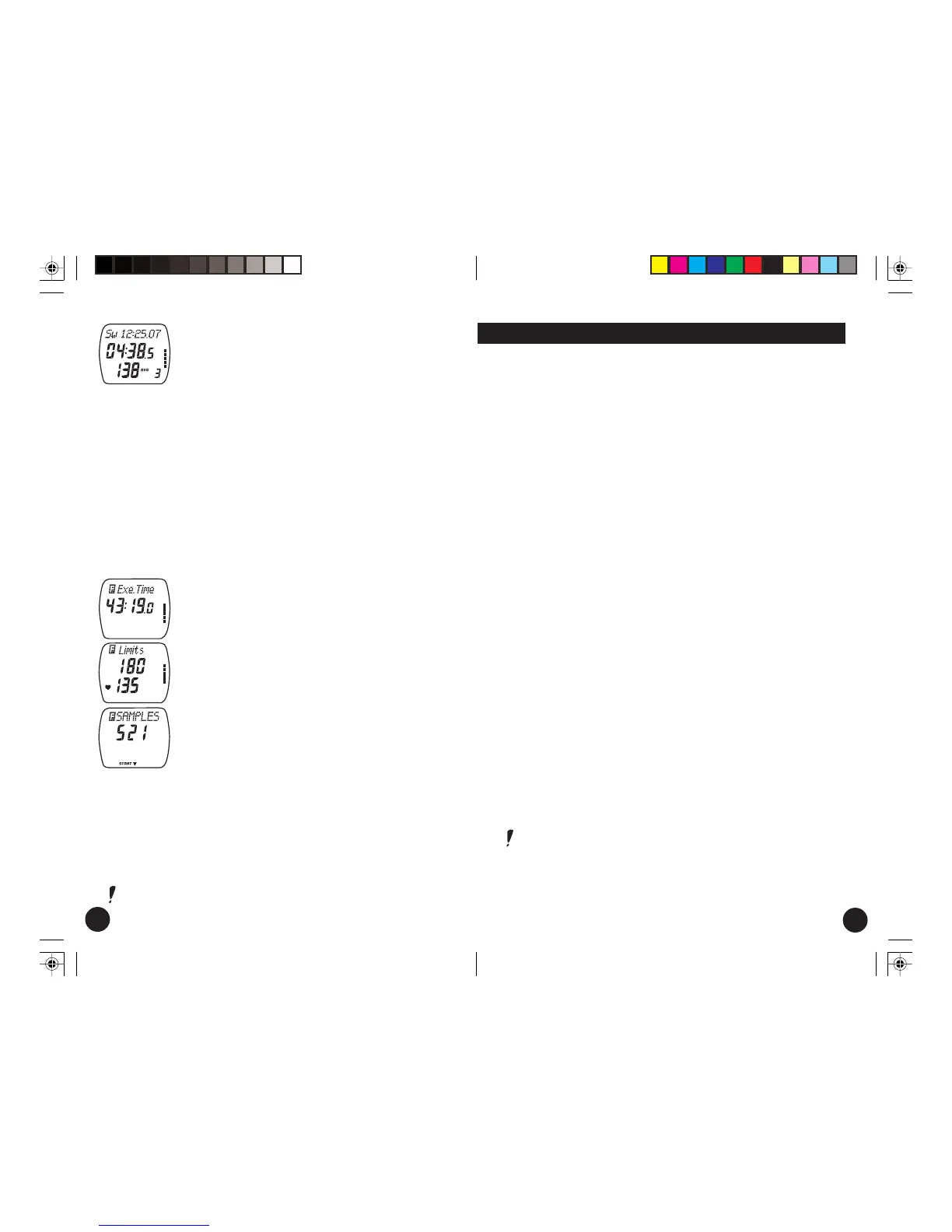
8. If you have recorded laps in the course of the
exercise, you can begin recalling them by pressing
the red button. The top line will show the split
time and the middle line will show the lap time.
The lower line will show alternating heart rate
information. The average heart rate for the lap
will be identified by a small “avg”. When this
notation disappears, the heart rate at the end of
the lap will be displayed. Finally, in the lower right
hand corner the number of the lap can be seen.
9. Each time the upper right button is pushed the
next lap will be displayed.
10. To get out of the Laps recall, press the blue button
one time. "Laps" will be displayed again and you
will be back at step 7.
11. Press the upper right button one time and the
total exercise time (“Exe.Time”) will be displayed.
12. Press the upper right button one time and the
target zone limits for that exercise will be displayed.
If you have set target zone limits to off, the screen
will display "OFF".
13. Press the upper right button one time. The number
of recorded heart rate samples will be displayed.
14. You can begin recalling the samples by pressing
the red button. The middle line will show the time
when the sample was recorded. The bottom line
will show the heart rate. Press the upper right
button to advance through the samples.
15. Press the blue button to exit the samples recall.
16. If you press the upper right button again, you can view all the
information in the File mode once more.
17. Press and hold the blue button to return to the Time of Day.
Note: You can reverse through the order of screens by pressing
the lower right button.
E600 USA C manual.pm6 19.11.2002, 15:2726-27




 To Next Page