Weight Update
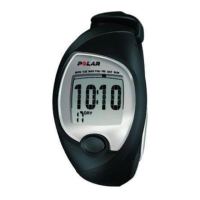
If you are following the weight loss program, the
FT60 will remind you to update your weight by
displaying an envelope once a week.
1. Time to check your weight is displayed. Press
OK.
2. Set current weight? appears. Select Yes to
update your weight.
Fitness Test
As soon as you reach your training targets, the
FT60 will post an envelope reminding you to take
a fitness test. The result of the test is taken into
account in the weekly program update.
1. Time to test fitness is displayed.
2. Test fitness? appears. Select Yes or No.
3. If you decide to take a new test, see Test Your
Fitness Level for more information.
Program Update
Polar FT60 continuously analyzes your progress
and adjusts by increasing or decreasing weekly
targets. An envelope appears on the display to
notify you when the program has been updated.
Press UP to open the envelope.
1. Program has been updated is displayed: the
FT60 has analyzed your progress and adapted
your program targets accordingly.
2. Time for a recovery week is displayed: To
optimize your training, you need to have an
ideal balance between training and recovery.
Recovery week allows your body to improve and
adapt to the stimulus that training has
provided.
ENGLISH
26 After Training





 To Next Page