Start With Basic Settings
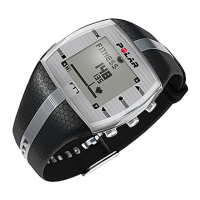
To activate your Polar FT60, press and hold any
button for one second. Once the FT60 is
activated, it cannot be switched off.
1. Language: Select Deutsch, English, Español,
Français, Italiano, Português or Suomi with
UP/DOWN. Press OK.
2. Please enter basic settings is displayed.
Press OK.
3. Select Time format.
4. Enter Time.
5. Enter Date.
6. Select Units, metric (KG, CM) or imperial (LBS,
FT). By selecting lbs/ft, calories are displayed
as CAL, otherwise they are shown as KCAL.
Calories are measured as kilocalories.
7. Enter Weight.
8. Enter Height.
9. Enter Date of birth.
10. Select Sex.
11. Settings OK? is displayed.
Select Yes to accept and save the settings.
Basic settings complete is displayed and the
FT60 enters Time mode.
Select No if you want to change the settings.
Please enter basic settings is displayed.
Re-enter your basic settings.
To modify your personal settings later, see
Settings.
ENGLISH
Get Started 5





 To Next Page