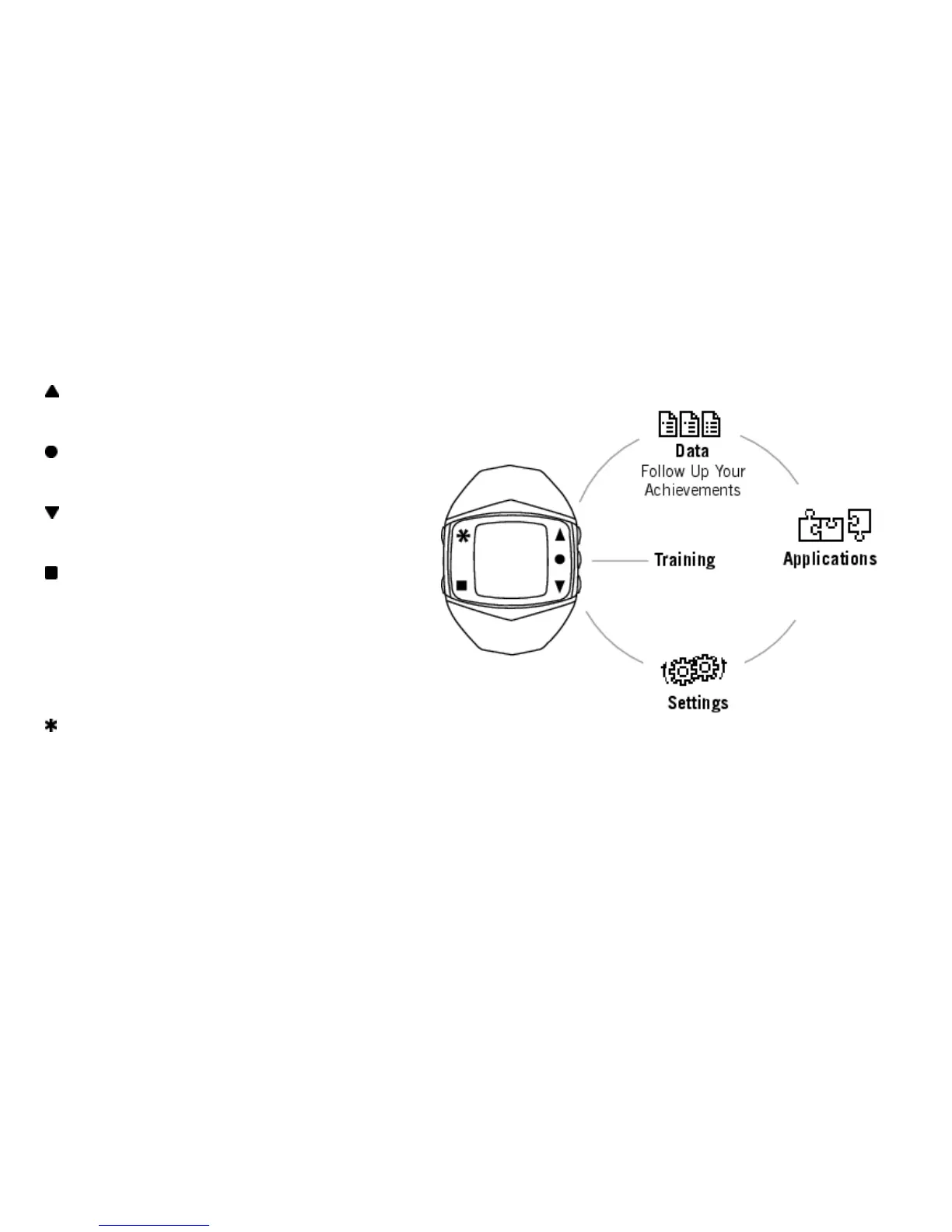
Wrist Unit Buttons and Menu Structure
UP: Enter the menu and move through
selection lists, adjust values
OK: Confirm selections, select training
type or training settings
DOWN: Enter the menu and move through
selection lists, adjust values
BACK:
• Exit the menu
• Return to the previous level
• Cancel selection
• Leave settings unchanged
• With a long press, return to Time view
LIGHT:
• Illuminate the display
• With a long press, enter quick menu in Time view (to lock buttons, set alarm or select time zone) or
during training (to adjust training sounds or lock buttons)
ENGLISH
6 Get Started










 To Next Page