Barracuda Phone System
Polycom IP-7000 VoIP Phone Quick Reference Guide 1 / 4
Polycom IP-7000 VoIP Phone Quick Reference Guide
https://campus.barracuda.com/doc/45712751/
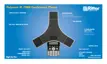
This article explains the basic operation of the Polycom IP-7000 VoIP device.
Soft Keys
The four buttons immediately below the LCD display are soft keys.
Each soft key performs the action displayed immediately above it.
Soft key behavior is context sensitive – the associated soft key action changes according to the
current phone state.
Place a Call
Enter the desired internal extension or external number, then press the (make call) button.
Last Number Redial
Press the (redial) button just to the left of the 7 key.
Call Hold
To place a call on hold, press the Hold soft key.
To resume the call, press the Resume soft key.
Call Transfer












 To Next Page