15
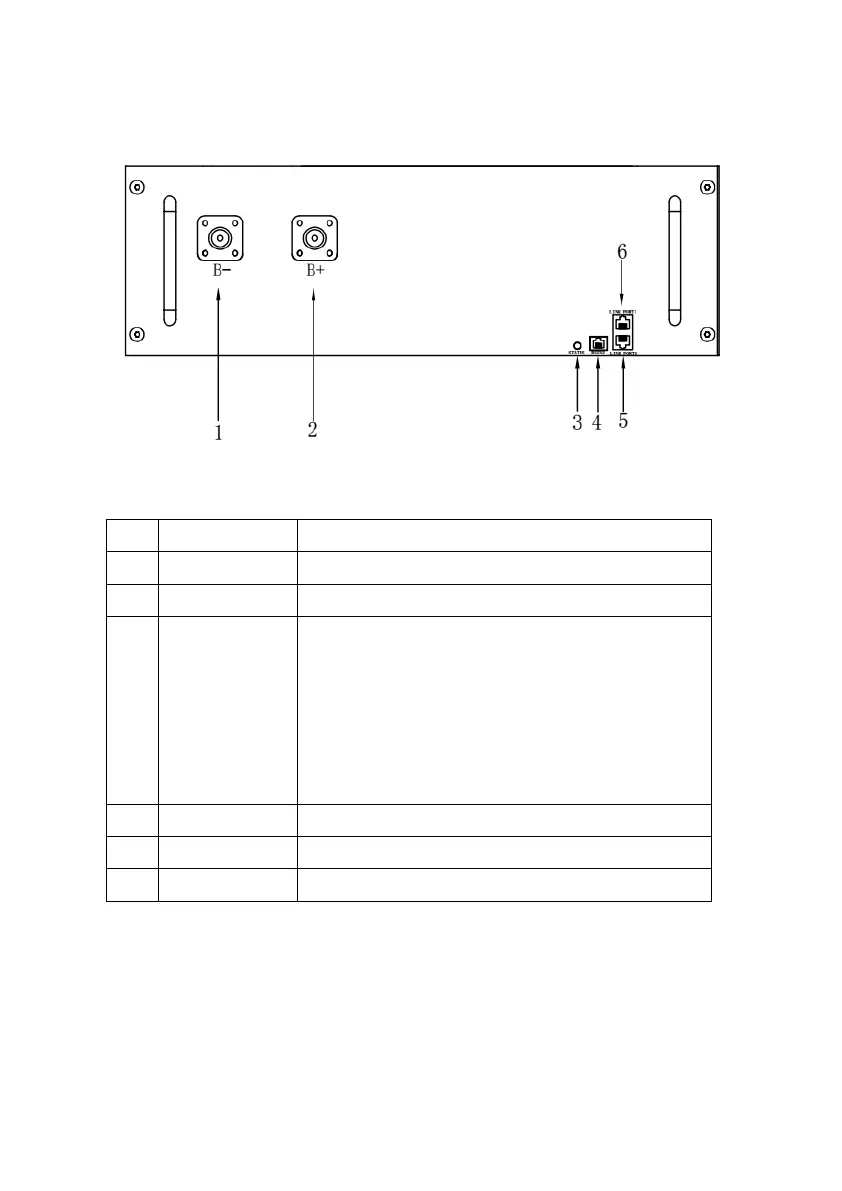
(6) Battery Module
Figure 4.4.6: Battery Front View
Table 4.4.6: Battery Parts
Battery module positive (-).
Battery module negative (+).
Indicate battery module status:
Blinking yellow: Bootup in progress;
Blinking blue: Self-inspecting;
Solid green: Working normally;
Solid pink: Alarming;
Solid red: In device protection or troubles.
For the manufacturer’s debugging.
Communicate with battery module.
Communicate with battery or BCMS module.



 To Next Page