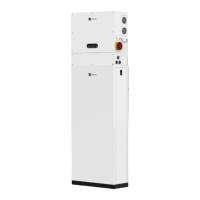
What to do if the indicators on POMCube iCAN NetZero Storage EMS modules are always solid red?
B
breillyAug 16, 2025
If the indicators on the EMS modules are constantly solid red, it could indicate a crash or damage. First, unplug the power supply of DV12 on the EMS and plug it back in after 5 seconds. If the issue persists, shut down the system.
A
Amanda ThompsonAug 19, 2025
What does it mean if the indicators on POMCube iCAN NetZero Storage EMS modules are always blinking green?
K
Kenneth FarrellAug 19, 2025
If the indicators on the EMS modules are constantly blinking green, there might be an issue with the router, an incorrect Wi-Fi password, or a change in the Wi-Fi network.
* Check the router status and reset it if necessary.
* Try re-configuring the network, ensuring the correct Wi-Fi password is entered.
* If the Wi-Fi network was changed, re-configure the network to reflect the new settings.
A
Anthony GonzalezAug 21, 2025
Why are the indicators on my POMCube iCAN NetZero EMS modules always blinking red?
J
Joshua BullockAug 22, 2025
If the indicators on the EMS modules are constantly blinking red, it could be due to the Wi-Fi not being 2.4G or the network not being configured correctly.
* Ensure a 2.4G Wi-Fi network is selected.
* Verify the indicator was blinking red before configuring the network and try re-configuring the network.
T
Tina StephensAug 25, 2025
What to do if the indicator on BCMS module is solid red and the indicator on at least one battery module is solid red in POMCube iCAN NetZero?
J
Jordan MarshallAug 25, 2025
If the indicator on the BCMS module is solid red and at least one battery module's indicator is also solid red, the system is likely in a critical protection mode, or a battery module may be dead. Charge the BCMS. If charging is successful, the SOC indicator will blink. If charging doesn't work within 5 minutes, shut down and reboot the BCMS.
R
Roger MckayAug 28, 2025
What does it mean if the indicators on POMCube Storage EMS modules are always solid white?
T
Timothy ClarkAug 28, 2025
If the indicators on the EMS modules are constantly solid white, there may be an issue with the router or internet connection. Check the internet status and reset the router if necessary.
P
pblankenshipAug 30, 2025
What to do if POMCube iCAN NetZero Storage fails to start the generator remotely?
V
Victoria RodriguezAug 31, 2025
If you're unable to start the generator remotely, it could be due to a generator malfunction or a disconnected remote control cable. Check the generator and ensure the remote control cable is properly connected.
D
dannybrownSep 2, 2025
What to do if the indicator on the BCMS module is solid red and every battery module is solid green on POMCube iCAN NetZero Storage?
J
Jacob LynchSep 3, 2025
If the BCMS module indicator is solid red while all battery module indicators are solid green, the communication cable between the BCMS and the battery module may be disconnected. Check and reconnect the cable.
L
larrymillerSep 6, 2025
What does it mean if the indicator on BCMS module is solid red, and one battery module is solid pink or off in POMCube iCAN NetZero?
F
figueroaevelynSep 6, 2025
If the BCMS module indicator is solid red, and one battery module indicator is solid pink or off, this indicates a voltage shortage in the battery. Charge the batteries immediately.
J
John HorneSep 8, 2025
What does it mean if the indicator on battery module keeps blinking in blue for over 30 seconds in POMCube Storage?
R
Randy MorganSep 9, 2025
If the battery module indicator blinks blue for over 30 seconds, there may be a failure in CAN communication. Reconnect the CAN communication line between the BCMS and the battery module.
L
Lisa WrightSep 12, 2025
Why is the indicator on BCMS or battery module pink while SOC is 0 on POMCube Storage?
A
Adam FowlerSep 12, 2025
If the indicator on the BCMS or battery module is pink while the State of Charge (SOC) is 0, it signifies a low battery condition. Charge the battery.



 To Next Page
 General