AUTOSALT®/POOLSQUAD®/POOLSQUAD® AMPERO/PRO - PAPI004082 – FR/EN/ES/DE - Rev.03.16
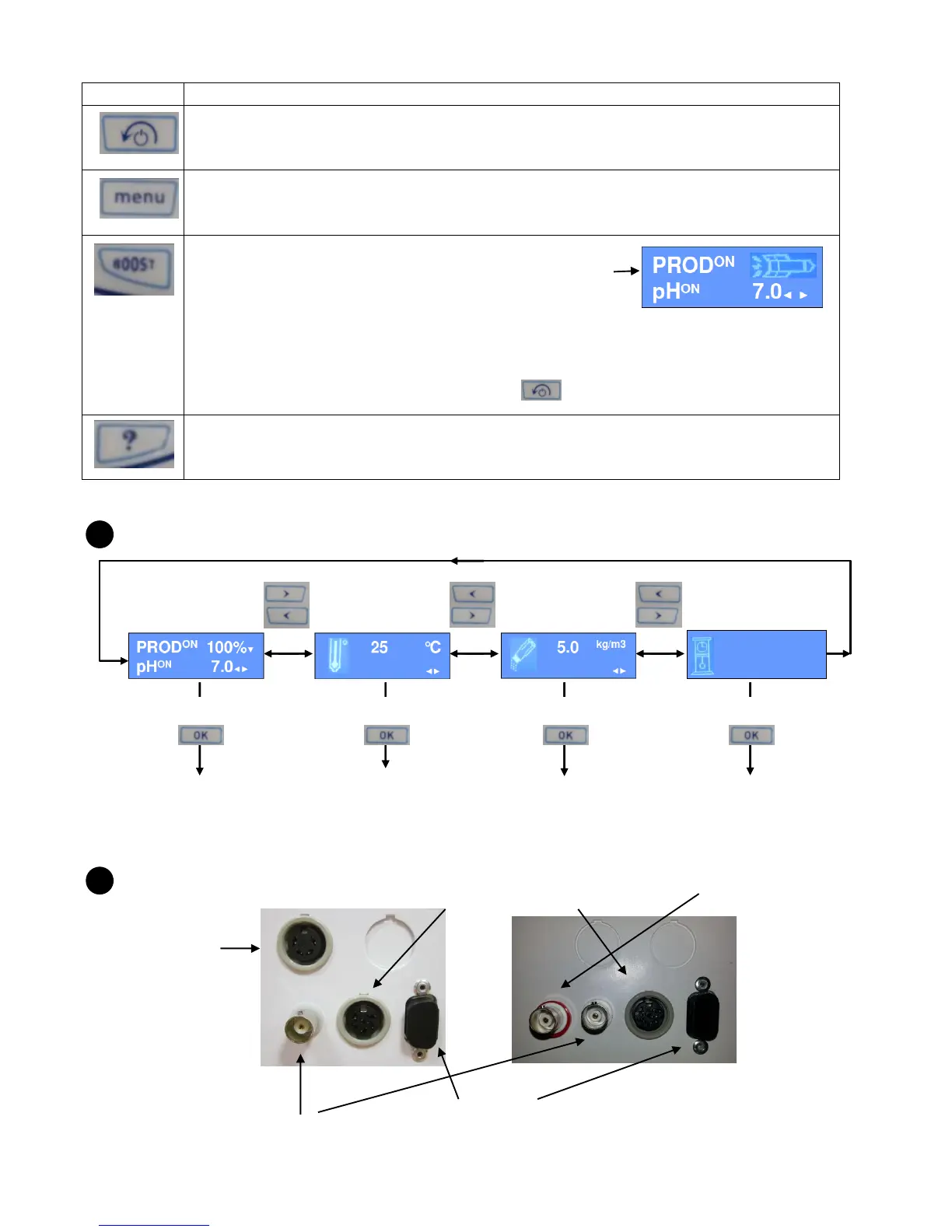
Long press 3s on: switch off the device.
Enter in the setting menu (see § 6.5).
Launch a super chlorination during 24 hours.
To use exceptionally in case of high heavy rains, troubled water and any other factor
leading to a greater need of chlorine.
To stop a super chlorination, press again on .
Short press on : shows advices about the use of the device.
POOL PARAMETERS
CONTROLLER BOX CONNECTIONS
6 pins jack:
Salt/temperature sensor
4 pins jack :
Amperometric chlorine
probe
IT index form :
Up date, repair…
Stand-by mode
water temperature
ON/OFF
Main display
Water
temperature
Salt rate
Noticed and
recommended
filtration time
Press 3s on Press 3s on Press 3s on Press 3s on
Temperature
calibration
(+/- 5°)
Salt rate
calibration
Filtration alarm
ON/OFF
RECOMMENDED: 12h
NOTICED: 8h
◄►
Main display
Water
temperature
Salt rate
Noticed and
recommended
filtration time
Press 3s on Press 3s on Press 3s on Press 3s on
Temperature
calibration
(+/- 5°)
Salt rate
calibration
Filtration alarm
ON/OFF
RECOMMENDED: 12h
NOTICED: 8h
◄►
BNC jack with red
circle for Pro version



 To Next Page