1/ Standard functioning : %
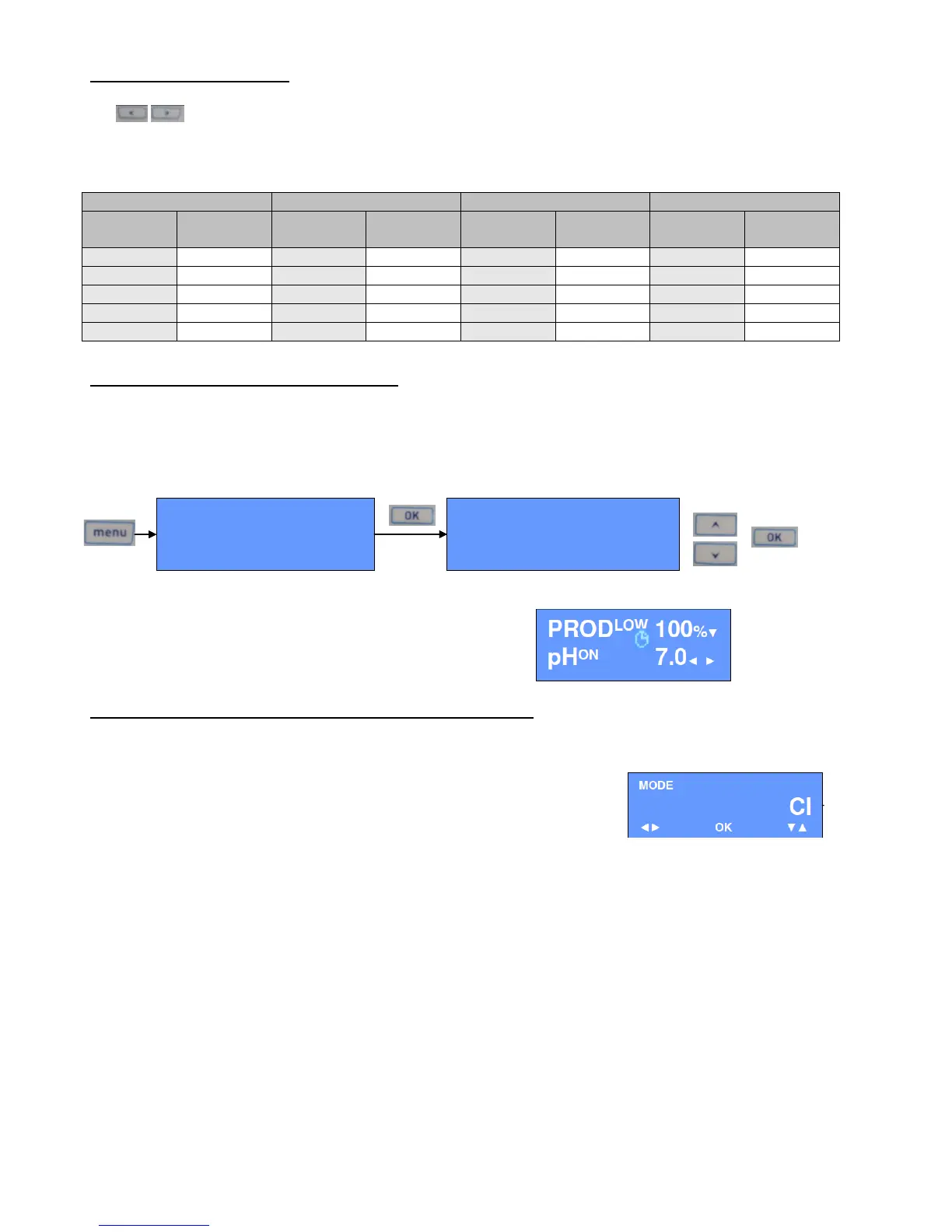
✓ Chlorine production of the device settles in production percentage, from 0 to 100%, with those keys
.
✓ Adjust the production % in the way to maintain free chlorine rate in the pool between 0,5 and 1 ppm. In
the starting up, in first estimation, adjust with the following values :
Note : Every use of pool is different, it could be necessary several tests to determine the most adapted value to the situation.
2/ Pool equipped with a pool cover : LOW
✓ If your pool is equipped with a pool cover, the chlorine production must be reduced when the shutter is
shut (see 3.7).
✓ The device is equipped with a function that will take care of it automatically.
✓ Activate the « LOW » mode so that the production is automatically reduced when the shutter will be
shut :
✓ When the shutter will be shut, the device will display :
Function which can be used for a cover with
bubble (connecting in a switch) or for an internal pool
(permanent reduction of the production)
3/ Free chlorine regulation option (Poolsquad ® Ampéro) : CL
The Poolsquad Ampéro® has a free chlorination regulation thanks to an amperometric probe.
✓ The mode is called « Cl » and is already activated upon receipt of the
device.
✓ When installing the device :
➢ Check that the level of stabilizer (Cyanuric acid) is under 1 ppm :
Stabilizer has an impact on the reading of the chlorine probe and then corrupts the good functioning
of the regulation. If necessary, renew a part of the pool water.
➢ Add the gel in the probe:
1/ Switch off the device and unplug the probe. Close gates of the by-pass and bring out the probe of the
chamber of measure.
2/ Unscrew at half tank of the probe.
3/ Open the bottle of gel and expel the air. Pour the gel without making of air bubbles in the tank.
4/ Re-screw the tank and tight hardly. The gel surplus evacuated by the elastic ring.
➢ Calibrate the chlorine probe.
Measure the free chlorine rate of the pool with DPD reactive n°1 and record the value (it must be
between 0,8 and 2,5 ppm) :



 To Next Page