FR | 17
EN
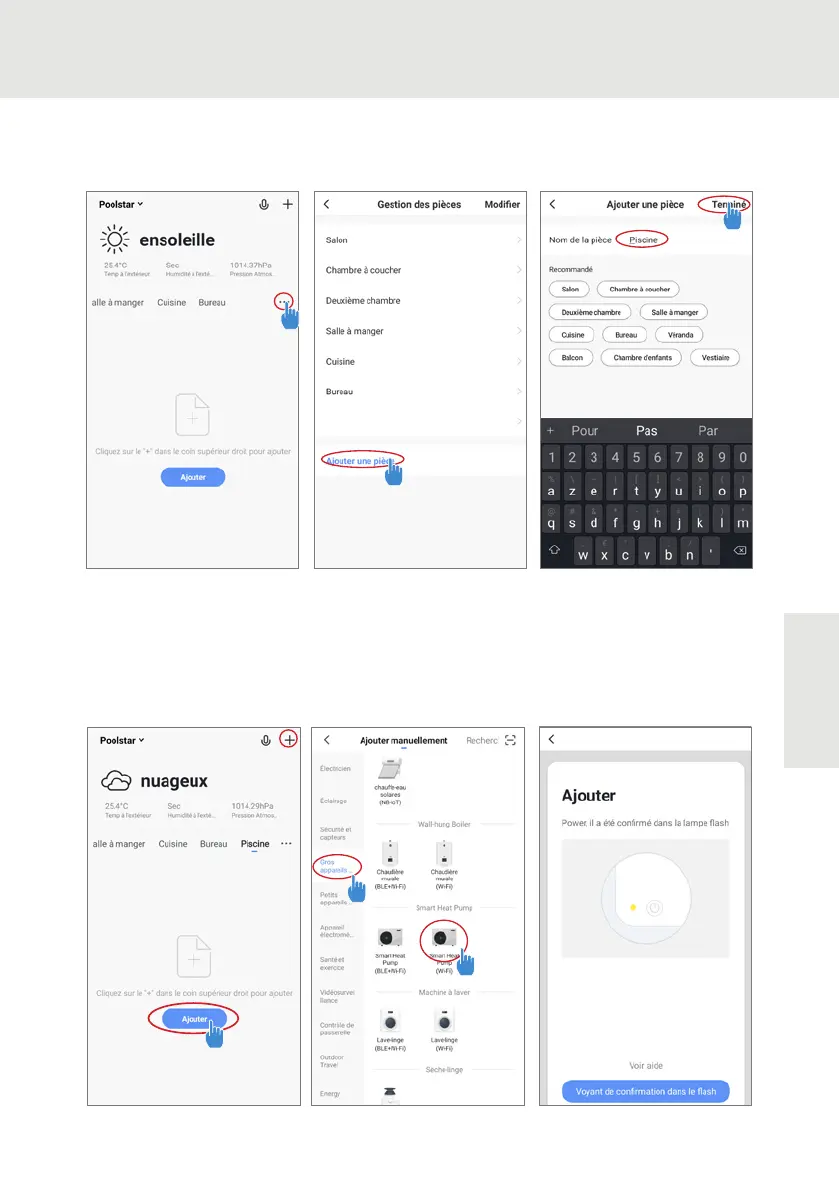
Step 3 (Recommended): Add an object by clicking «...» and then «Add Object.» Enter its name
(«Pool» for example), then click «Done.»
Step 4 : Now add a device to your «Pool»
• Click «Add» or «+» and then «Large appliances...» followed by «Water heater.»
• At this point, leave your smartphone on the «Add» screen and go to the pairing step for your
control box.
4. USE


 To Next Page