18
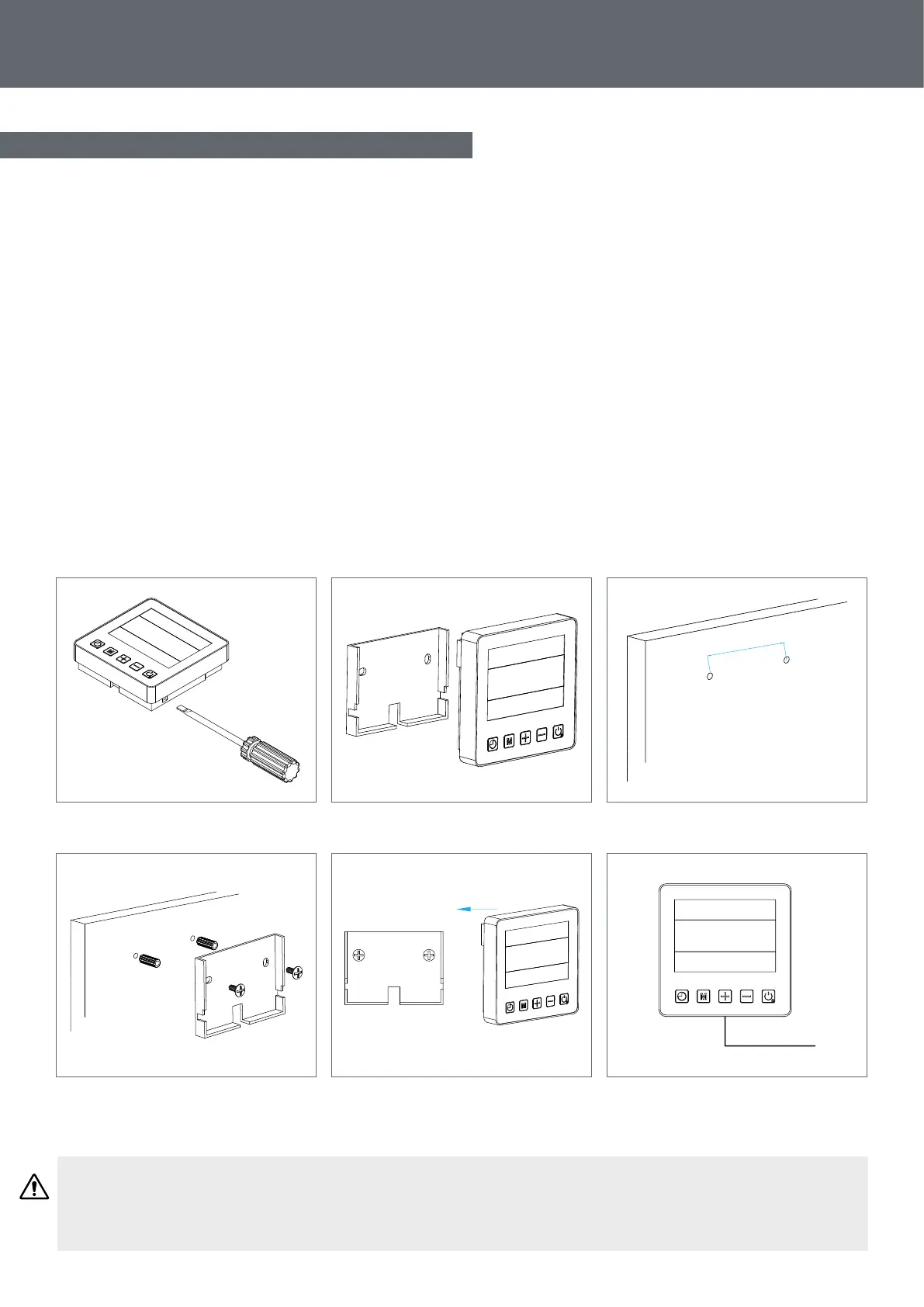
3.9 Wall–mounting the remote control
Step 1: Detach the remote control from the machine. Pay attention to the communication wire connected
to the printed circuit board and separate them carefully.
Step 2: Use a screwdriver to open the casing and separate the remote control.
Step 3: Drill two parallel holes at eye level: 60 mm centre-to-centre.
Step 4: Attach the remote control’s rear cover to the wall.
Step 5: Align the front and rear covers exactly, ensuring that the box is xed rmly to the wall.
Step 6: Carefully connect the communication wire.
60mm
WARNING: Do not use sharp objects to touch the remote control’s front face and buttons as you may
damage it. When the remote control is xed to the wall, do not pull the communication wire, this may
cause a loose contact.
3. Installation
Step 1
Step 4
Step 2
Step 5
Step 3
Step 6


 To Next Page