24
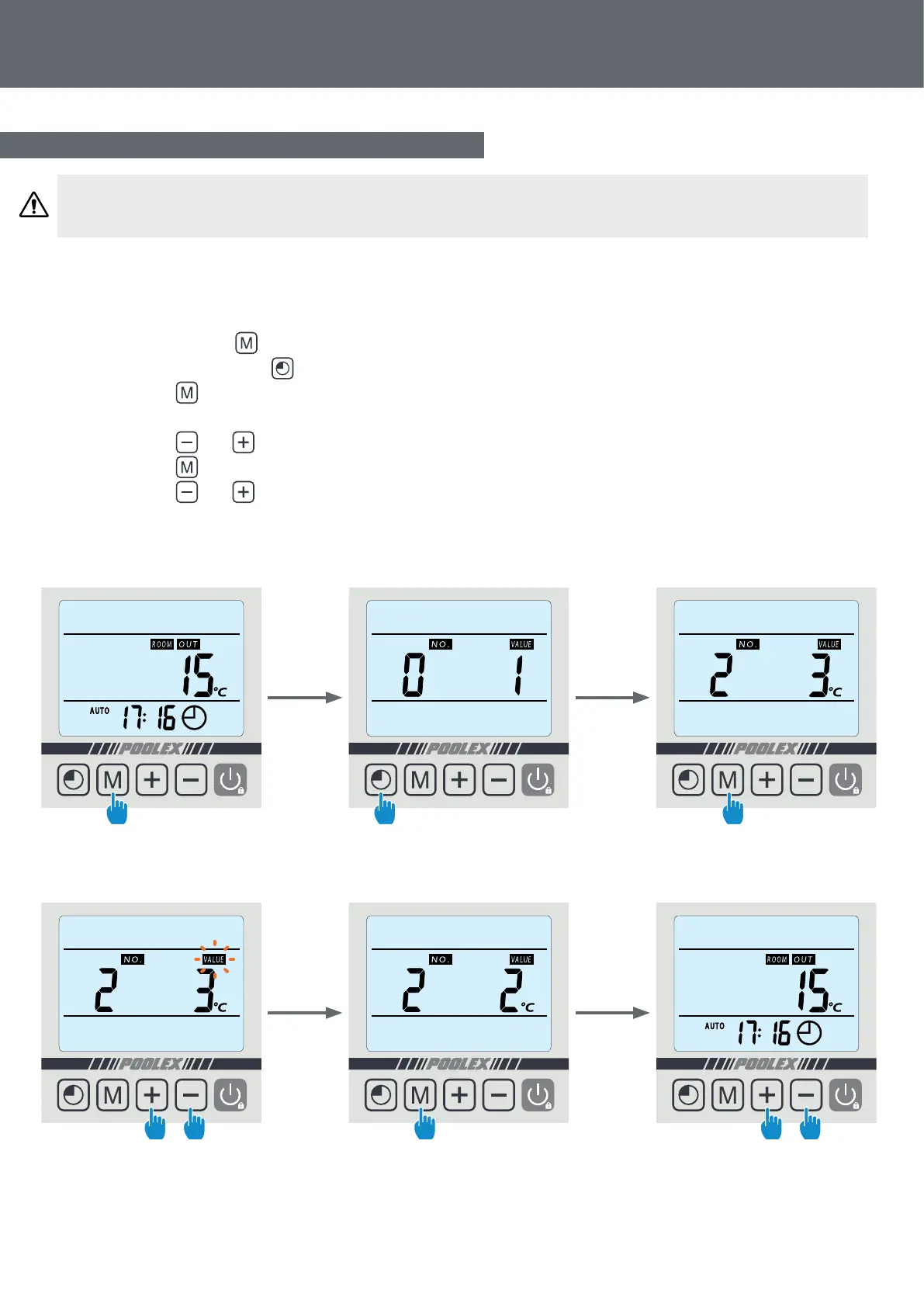
The system’s settings can be checked and adjusted via the remote control by following these steps
Step 1: Keep pressing until you enter the settings verication mode.
Step 2: Press several times to reach the setting to be adjusted .
Step 3: Press to select the setting to be modied.
NOTE. Some settings cannot be modied. Consult the settings table for further information.
Step 4: Press and to adjust the setting value.
Step 5: Press to set the new value.
Step 6: Press and to return to the main screen.
WARNING: This operation is used to assist servicing and future repairs.
The default settings should only be modied by an experienced professional person.
4. Use
4.8 Status values and advanced settings
Step 3
Step 6
Step 2
Step 5
Step 1
Step 4
4 sec


 To Next Page