1
Introduction
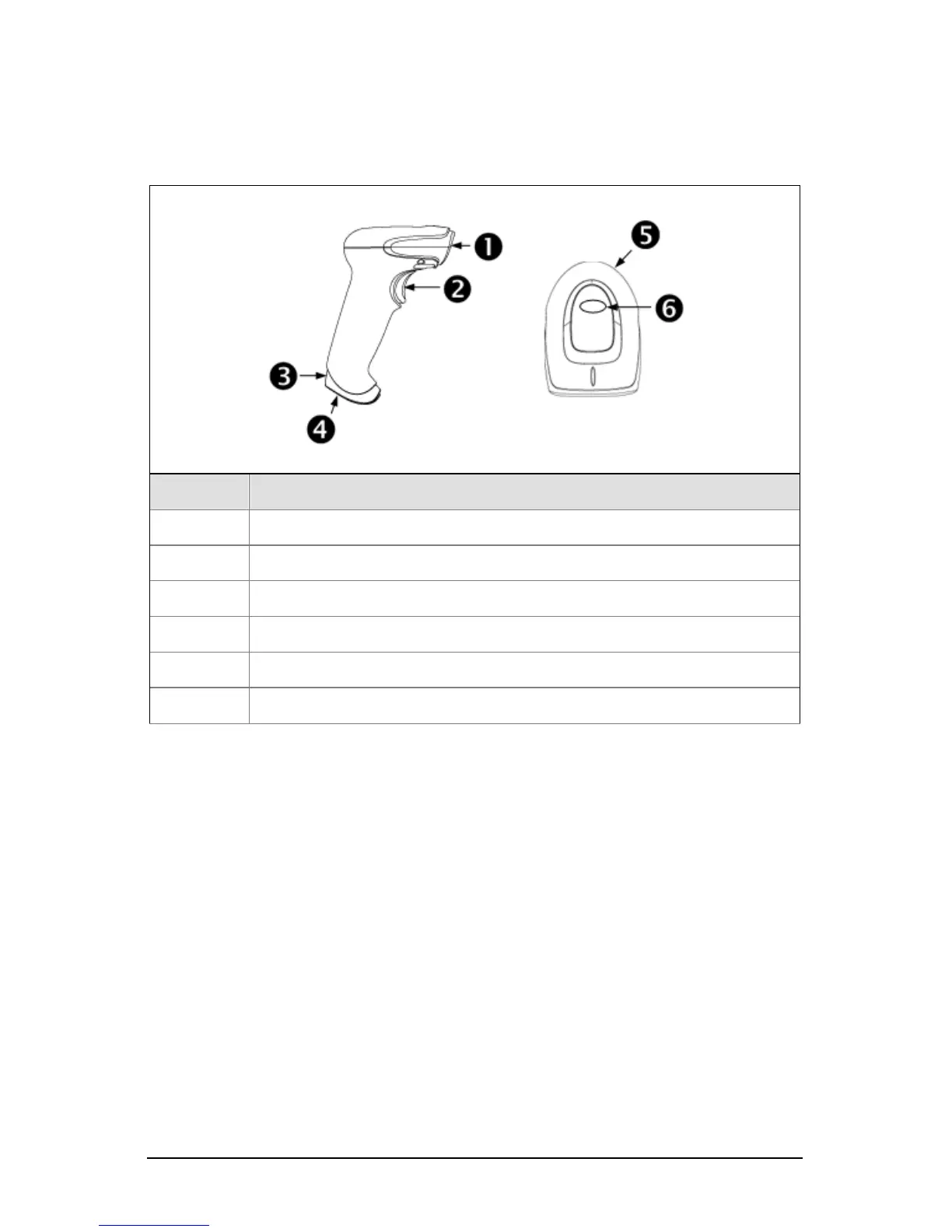
Components
Item No. Description
1 Red Output Window (Laser Aperture)
2 Trigger
3
Pinhole for Cable Release (see page 3)
4 10-Pin RJ45, Female Socket
5 Beeper Hole
6
LED Indicator (see page 5)
Figure 1. Scanner Components
Maintenance
Smudges and dirt on the unit’s window can interfere with the unit’s performance.
If the window requires cleaning, use only a mild glass cleaner containing no
ammonia. When cleaning the window, spray the cleaner onto a lint free, non-
abrasive cleaning cloth then gently wipe the window clean.
If the unit’s housing requires cleaning, use a mild cleaning agent that does not
contain strong oxidizing chemicals. Strong cleaning agents may discolor or
damage the unit’s exterior.



 To Next Page