System Assembly & Disassembly3.
Stand Disassembly
3-1.
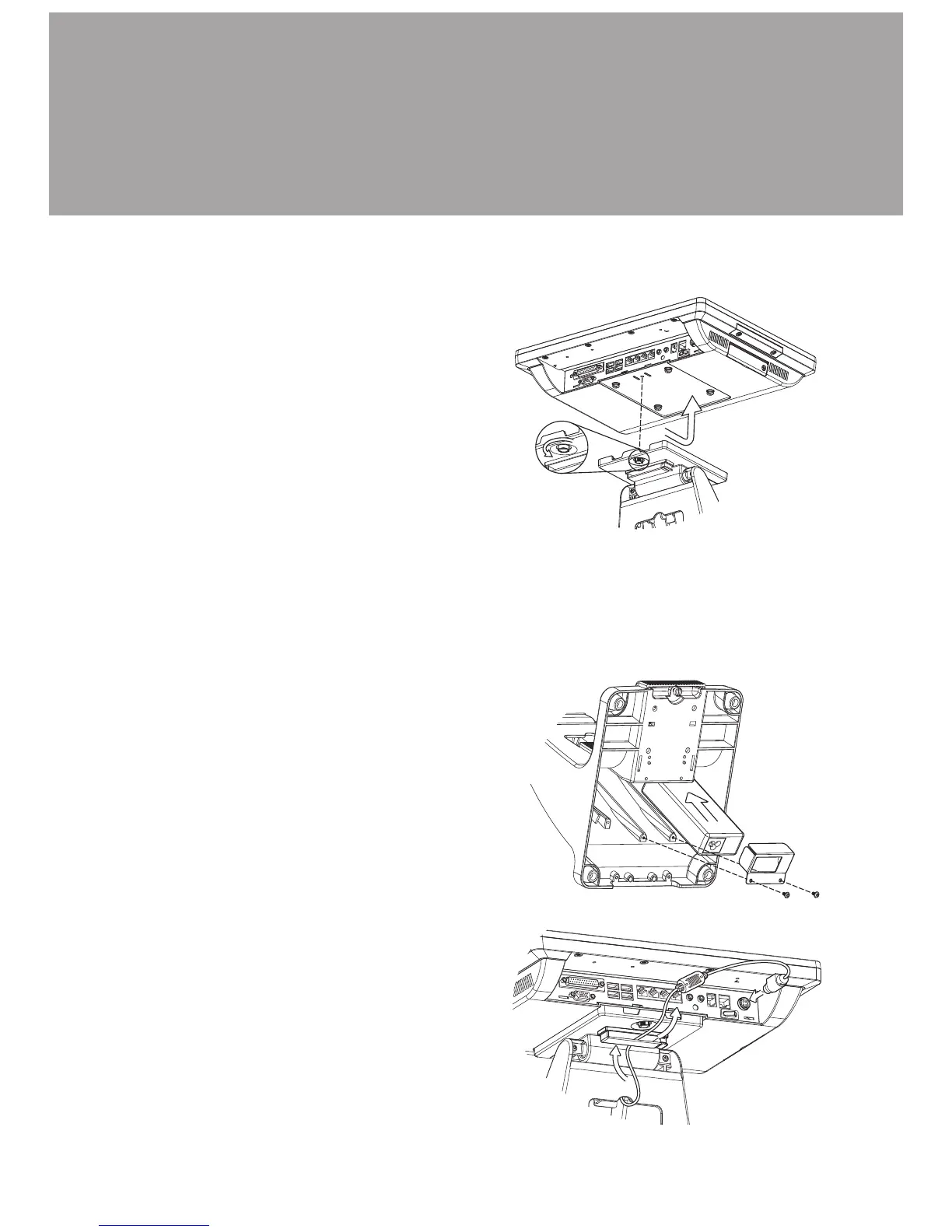
Loosen the thumb screw (x1) and 1.
slide the stand towards the IO
panel to release it from the system.
Reverse the steps above to attach 2.
stand to the system.
Power Adapter Replacement
3-2.
Lay the PC on its back to access 1.
the bottom of the system stand.
Place the adapter into the cavity 2.
(shown in the picture) and secure
it with the holding bracket and
screws (x2).
Power adapter is secured into the system stand by a holding bracket and screws.
To attach power adapter, please follow the steps below.
Route the cable as shown in the 3.
picture.
Connect the cable to the DC-IN 4.
port on system IO panel.



 To Next Page