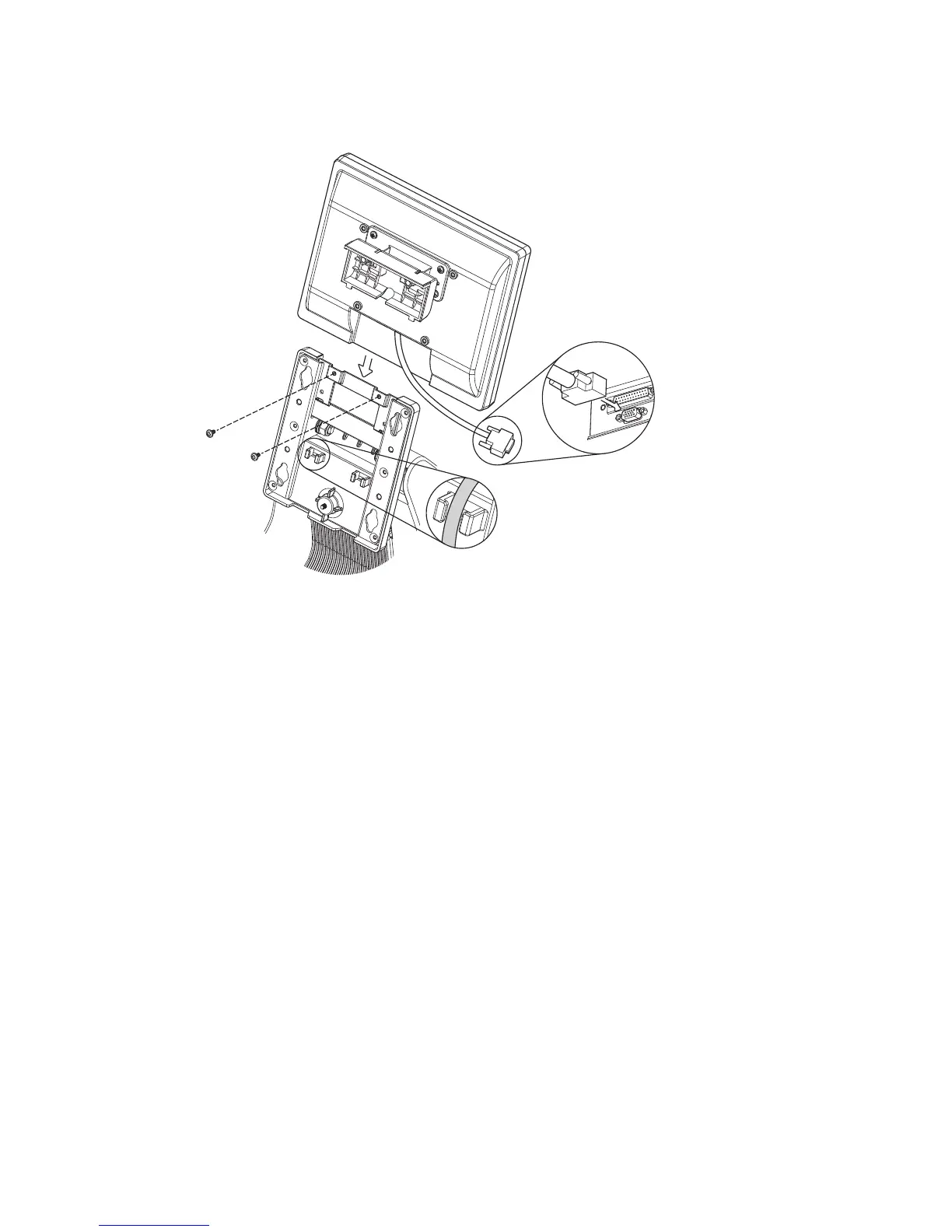
Second Display Installation
4-3.
Follow steps in Chapter 3-1 to disassemble the system stand.1.
Connect one end of the VGA cable to 2nd Display. Route the cable through 2.
cable mangement on the system stand.
Attach the 2nd Display to system by fastening the screws (x2).3.
Connect the other end of the VGA cable to 2nd VGA port on system IO panel. 4.



 To Next Page