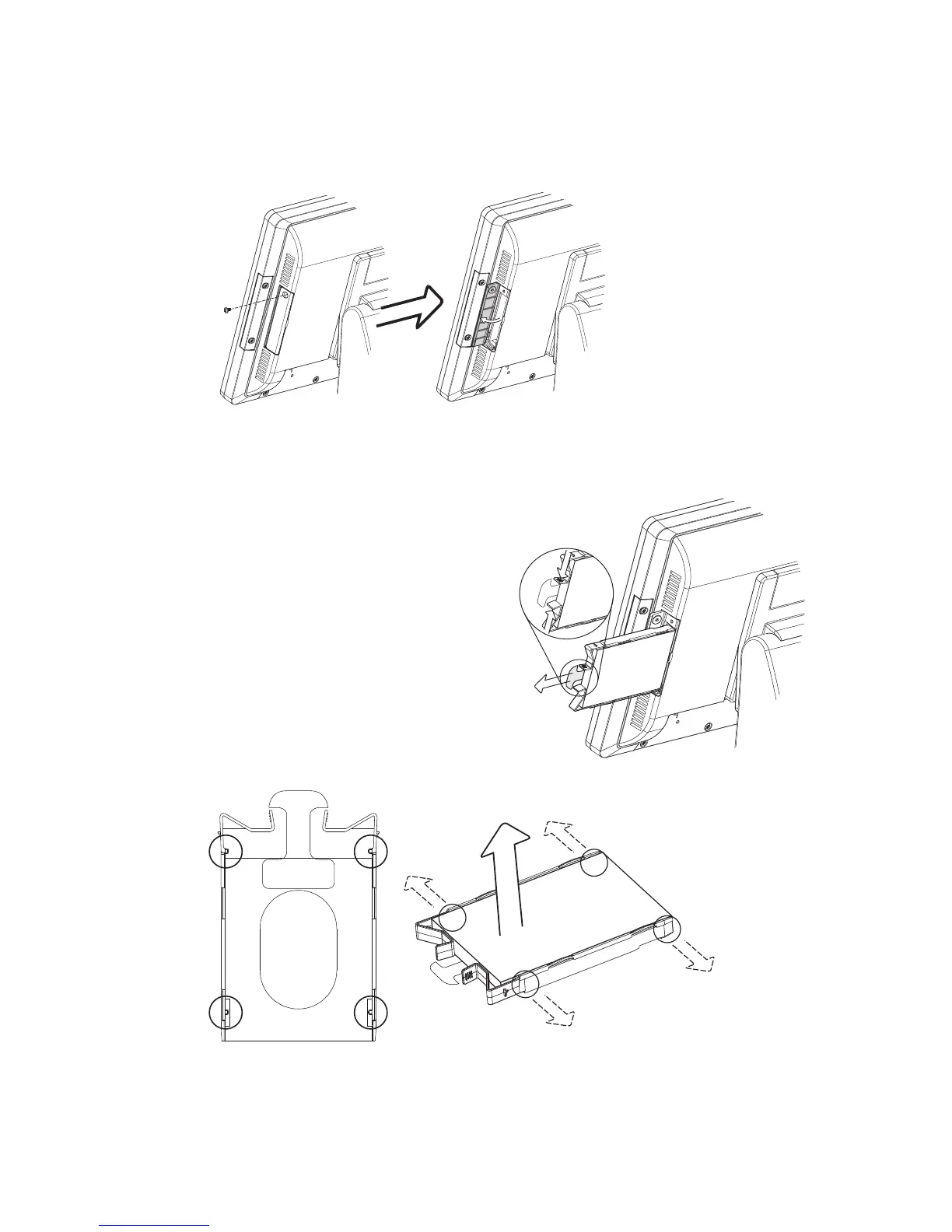
Romove the HDD from the System
Power the system down.1.
Remove the screw(x1) from the HDD door.2.
Open the HDD door.3.
While pinching the HDD bracket 4.
tabs pull the HDD from the
system. For easier removal pull
the plastic puller (see picture) at
the same time.
For replacement, please remove the current HDD rst.
Disassemble HDD
To release the HDD from the bracket gently pull it open until the four pins 5.
are removed.
HDD Replacement
3-3.



 To Next Page