Peripheral Installation4.
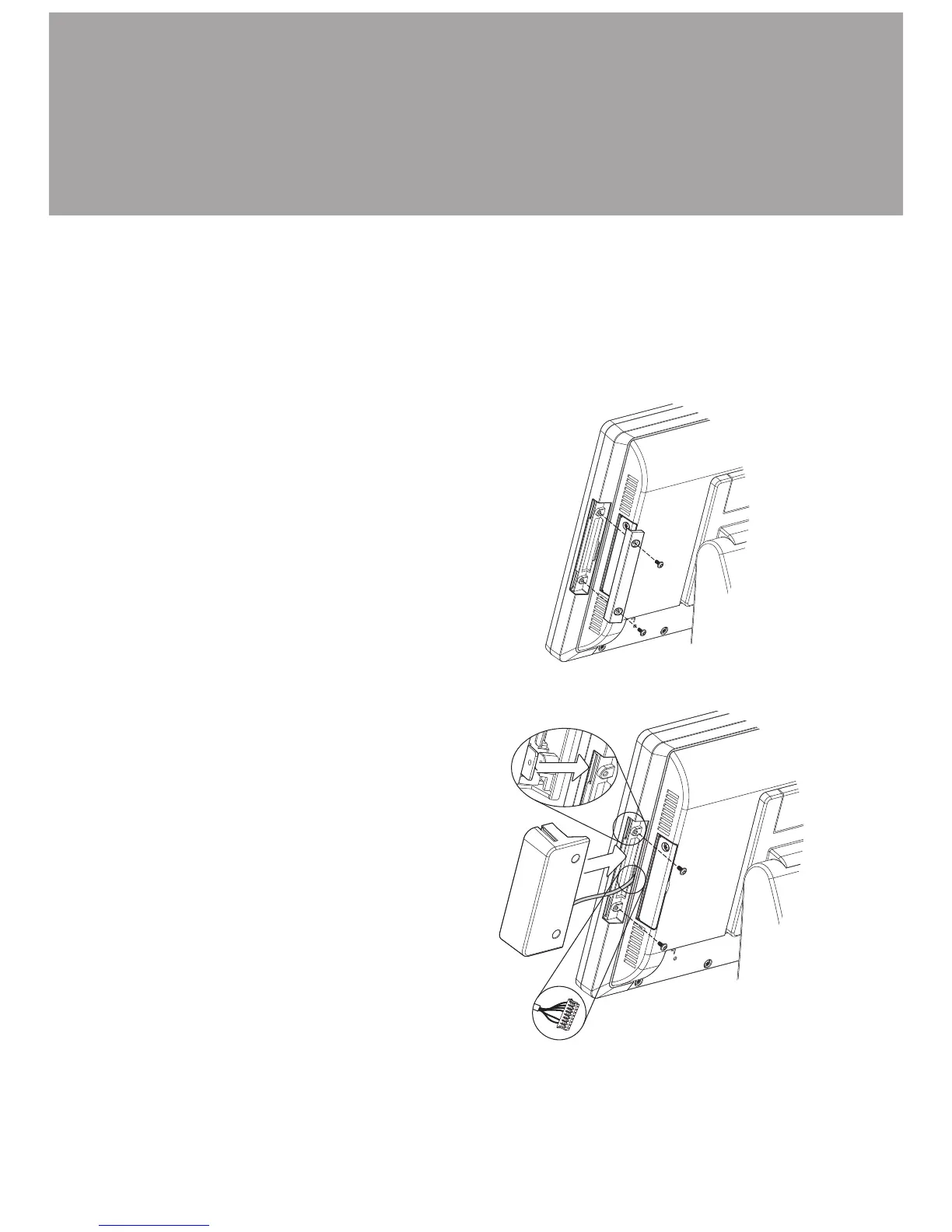
MSR Installation
4-1.
Remove the screws (x2) to 1.
release the MSR dummy cover.
MSR module can be installed to either side of the system. Choose one side and
follow the steps below.
Connect MSR cable to the 2.
connector on system side.
Insert MSR module in place and 3.
fasten the screws (x2) on the back
to secure the module.



 To Next Page