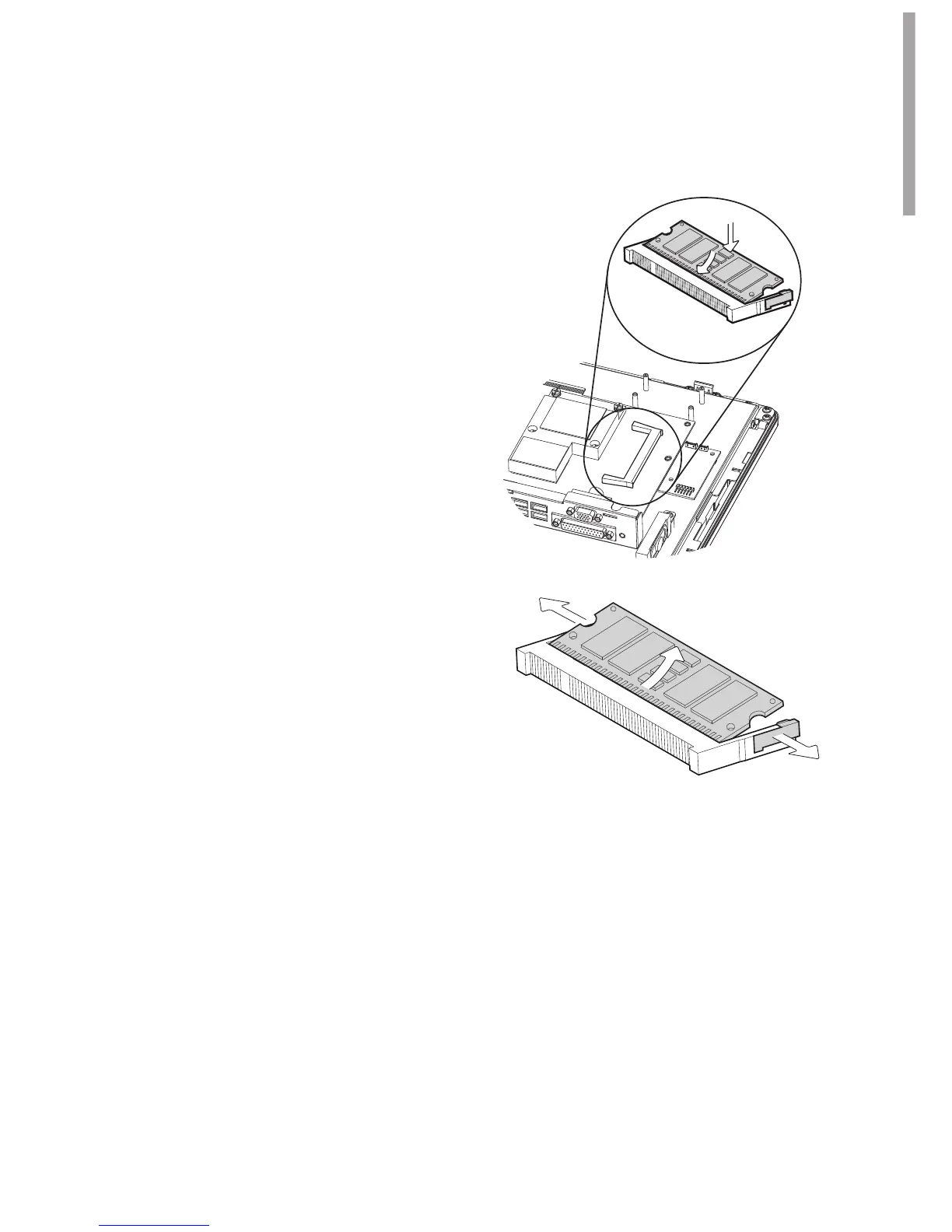
Removing a RAM module
To remove the module pull the 3.
ejector clips out of the side of the
module.
Slide the memory out of the slot.4.
RAM Replacement
3-5.
Follow the steps in Chapter 3-4 to 1.
open the system.
The RAM is located on the right 2.
side of the system (see picture).
Installing a RAM module
Slide the memory module into the 3.
memory slot and press down until
it locks in place.



 To Next Page