PRK-8000 Operation Manual
- 34 -
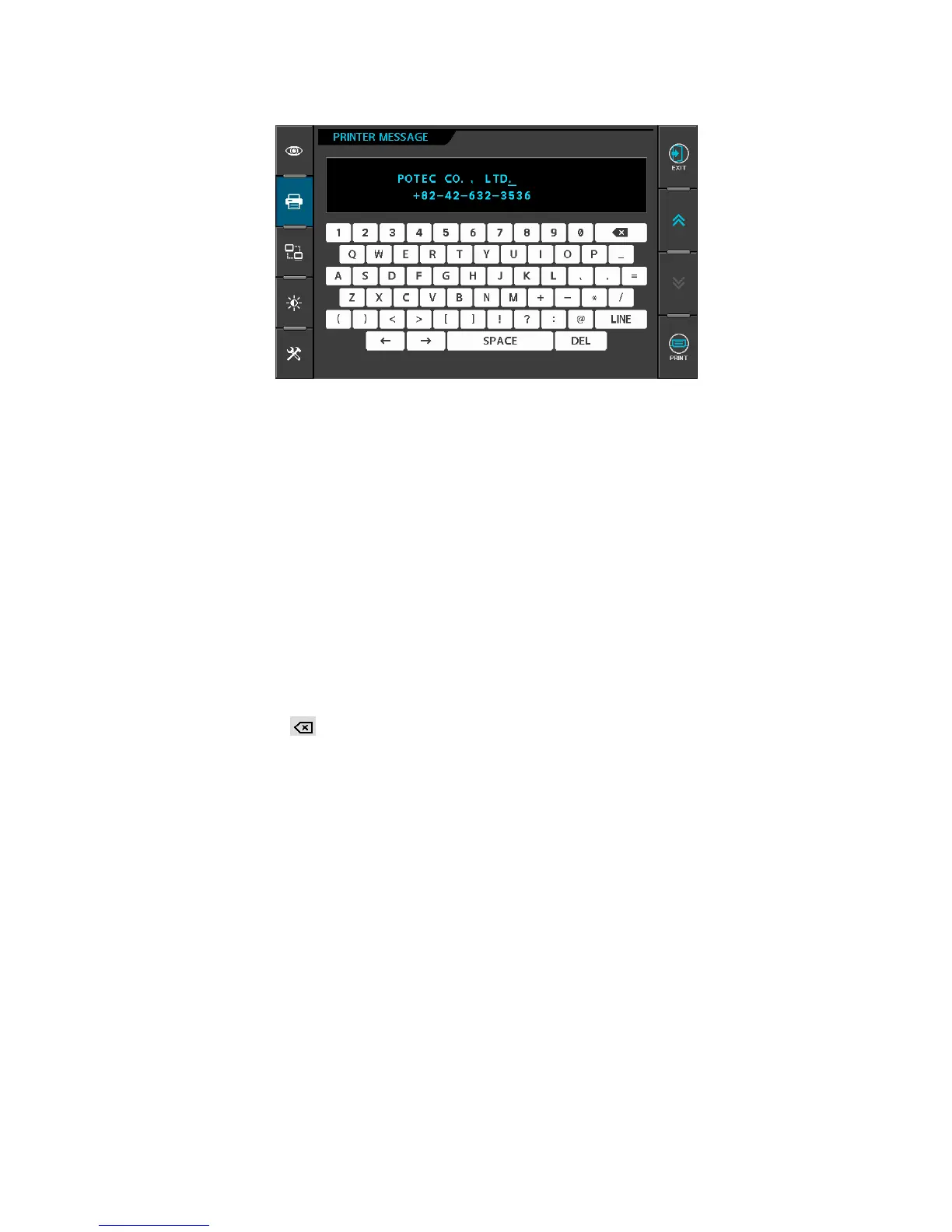
[ page2: Messages for Internal Printer ]
Enter a message to be printed out with the results of measurement using the internal
printer in this window.
You can enter a messages in 24 characters × 2 lines.
[Cursor Position]
The cursor blinking in the upper area represents the input position.
Press LINE button to change the row of the blinking cursor.
Pressing “»” or “¼” button yields the right and left change of the position of the cursor.
[Input of Messages]
Press any one of alphanumeric buttons to add character in the position of the blinking
cursor.
[Deletion of Messages]
If you press the DEL button, the character of blinking cursor will be deleted.
If you press the button, the character in front of the blinking cursor will be deleted.



 To Next Page