Programming
38 POTTERTON COMMERCIAL
120-393 632.4 04.08 Fh
The previous menu point will be called up by pressing the ESC-but-
ton without taking over previously modified values.
If no settings are carried out for approximately 8 minutes, the
basic display is called up without taking over previously modified
values.
8.3 Setting table
• Not all parameters displayed in the display are listed in the set-
ting table.
• Depending on the plant configuration, not all parameters listed
in the setting table are displayed in the display.
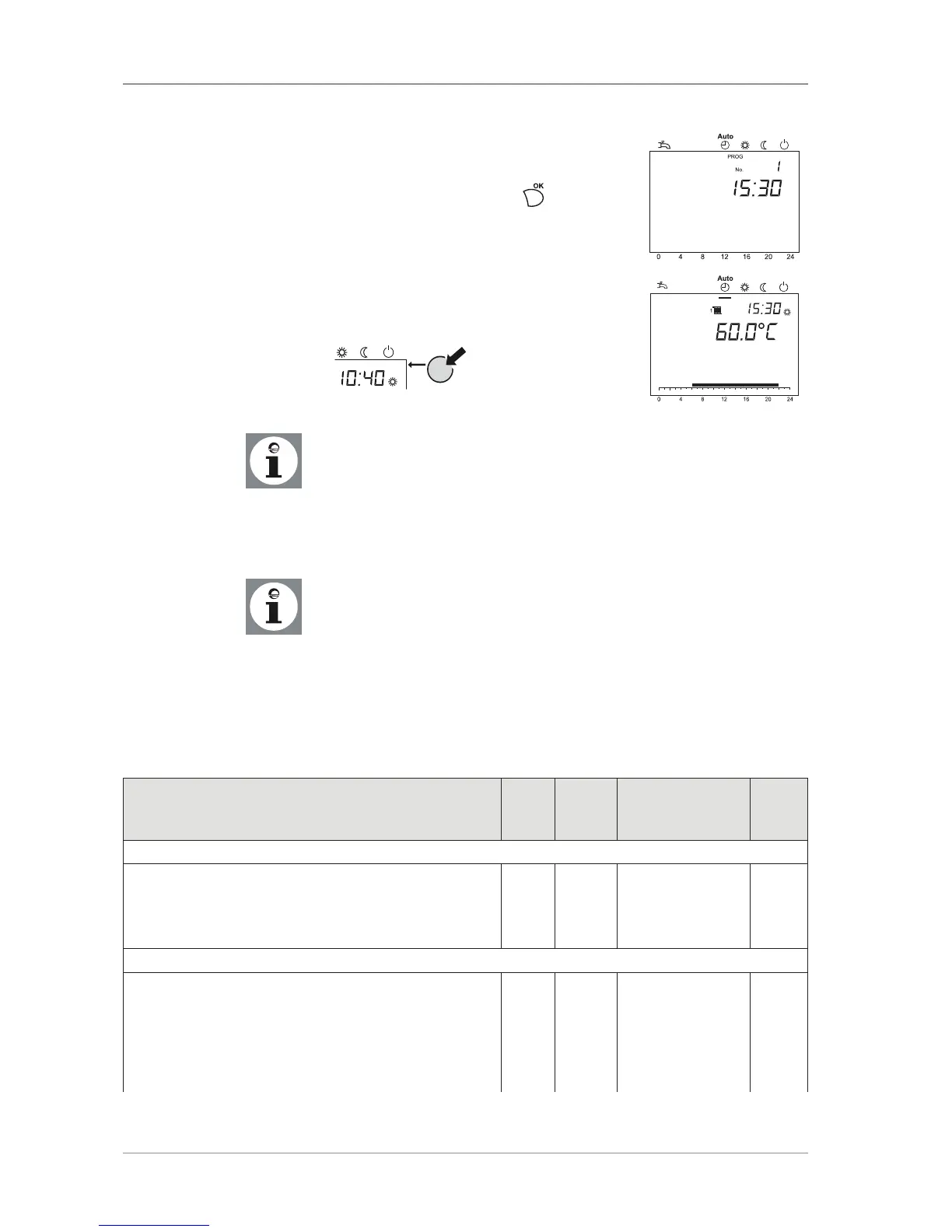
• In order to get to the setting levels: Enduser (E), Commissioning
(I) and Engineer (F), press button OK.; After this, press for ap-
proximately 3 s the Information button, select the required le-
vel with the rotating knob and acknowledge with the OK button.
Acknowledge setting with .
Press heating circuit operation mode but-
ton to return to the basic display.




 To Next Page