12
5. Solar Inverter OPERATION
5.1 Check Prior to Start Up
1. Ensure the Solar Inverter is in a suitable positioning.
2. Check input cord is secured.
3. Make sure the load is disconnected or in the “OFF” position.
4. Check if input voltage meets the Solar Inverter rating required.
5.2 Storage Instruction
Disconnect input power in rear panel if you will not use it for long period. If the
Solar Inverter is stored over 3 months, please keep supplying power to the
Solar Inverter for at least 24 hours to ensure battery fully recharged.
5.3 Operation Procedure for LCD Model
Please follow the instructions below for Solar Inverter operation.
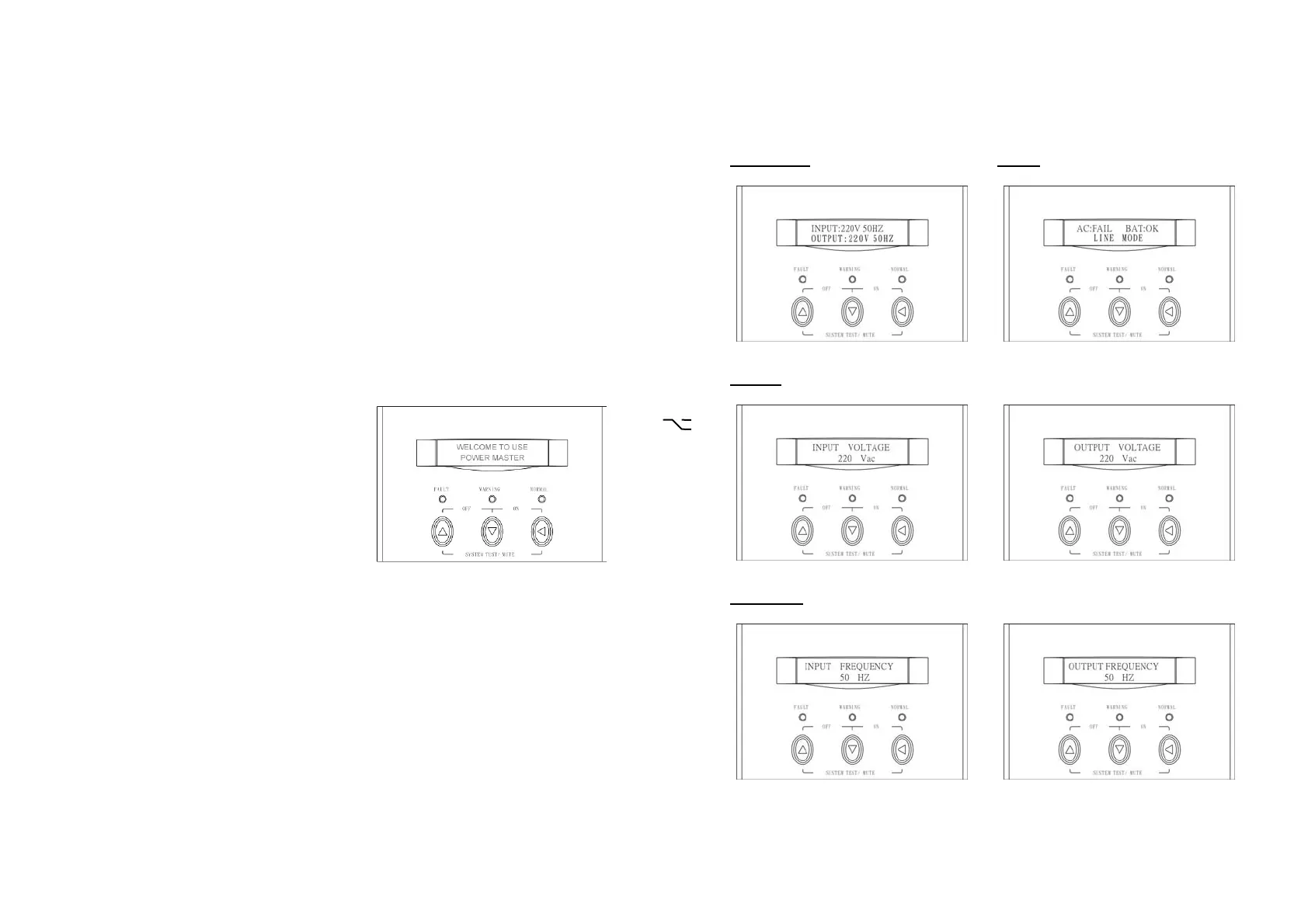
1. Once the AC source is connected, the
LCD Display shall light up immediately
to display first the main menu of
greeting context and the Normal LED is
blinking to indicate ready to switch on
the inverter.
2. By pressing the Enter-key and the Down-key simultaneously for 3 seconds,
the Solar Inverter will start up after two beeps and Normal LED lights up to
indicate the power is from its inverter to the load.
3. When the Down-key and the Up-key are pressed simultaneously for 3
seconds, the inverter will be turned off after two beeps and the Solar
Inverter is on the standby status (LCD display illuminates and Normal LED
is blinking) until AC source is disconnected.
13
4. LCD Display Menu
Use Up/Down key to select menu-displays of the LCD described below. This
screen will refresh once the system power is enabled.
Rated Spec
Status
Voltage
Frequency



 To Next Page