16
Charging Current Adjust
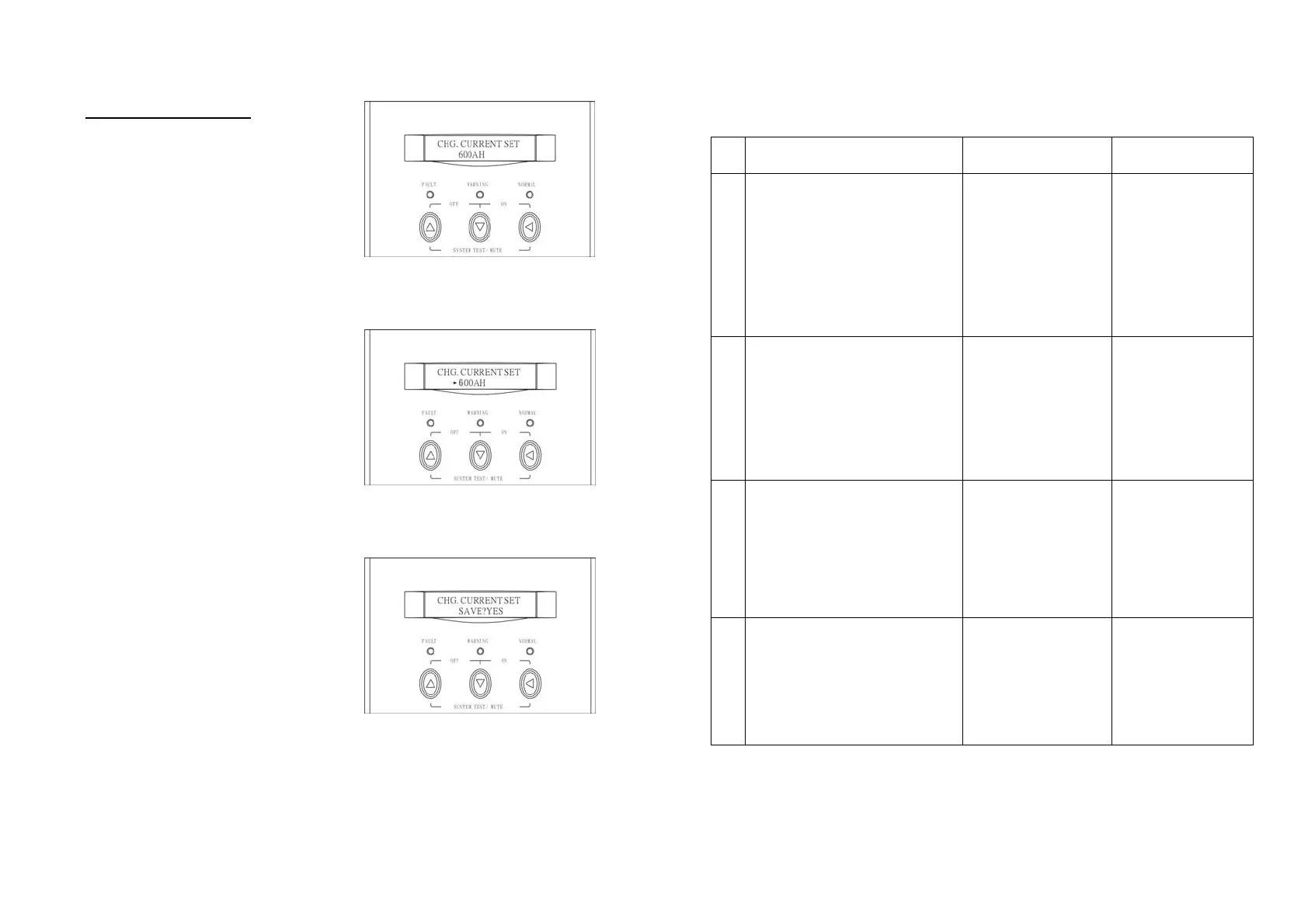
A. In this screen, press Enter-key to
enter the following steps for
general battery AH adjustment.
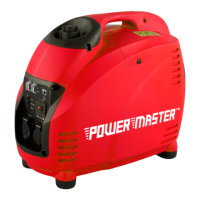
B. The cursor (→) will pop up to
indicate the battery AH newly
selected.
C. Use Up or Down-key to select
the battery AH ( 100AH, 200AH,
300AH, 400AH, and 600AH
selectable). Press Enter-key to
confirm your battery AH.
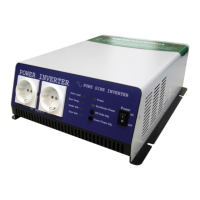
D. Once the correct battery AH is
selected, press Enter-key again
to save the selection.
17
6. TROUBLE SHOOTING GUIDE
6.1 For LCD Model
The following guideline may be helpful for basic problem solving.
No. SOLAR INVERTER STATUS POSSIBLE CAUSE ACTION
1
AC utility power is normal.
Solar Inverter is running
normally, but fault LED lits
up. Buzzer beeps
continuously.
1. Charger PCB is
damaged.
2. Fan is
damaged.
3. Unknown
1. Replace the
charger PCB.
2. Replace the
fan.
3. Restart UPS
3
AC utility power is normal
but Solar Inverter is
overloaded. Warning LED
lits up and buzzer beeps per
second.
Overload
100%< load<
125%
Please reduce
the critical load
to <100%.
4
AC utility power is normal.
Warning LED does not fade
out and buzzer beeps per
0.5 second.
Overload
125%<
load<150%
Please reduce
the critical load
to <100%.
5
AC utility power is normal.
Warning LED lits up and
buzzer beeps continuously.
Overload
150%< load
Please reduce
the critical load
to <100%.



 To Next Page