10
2. Chanel Edit
TV Channel
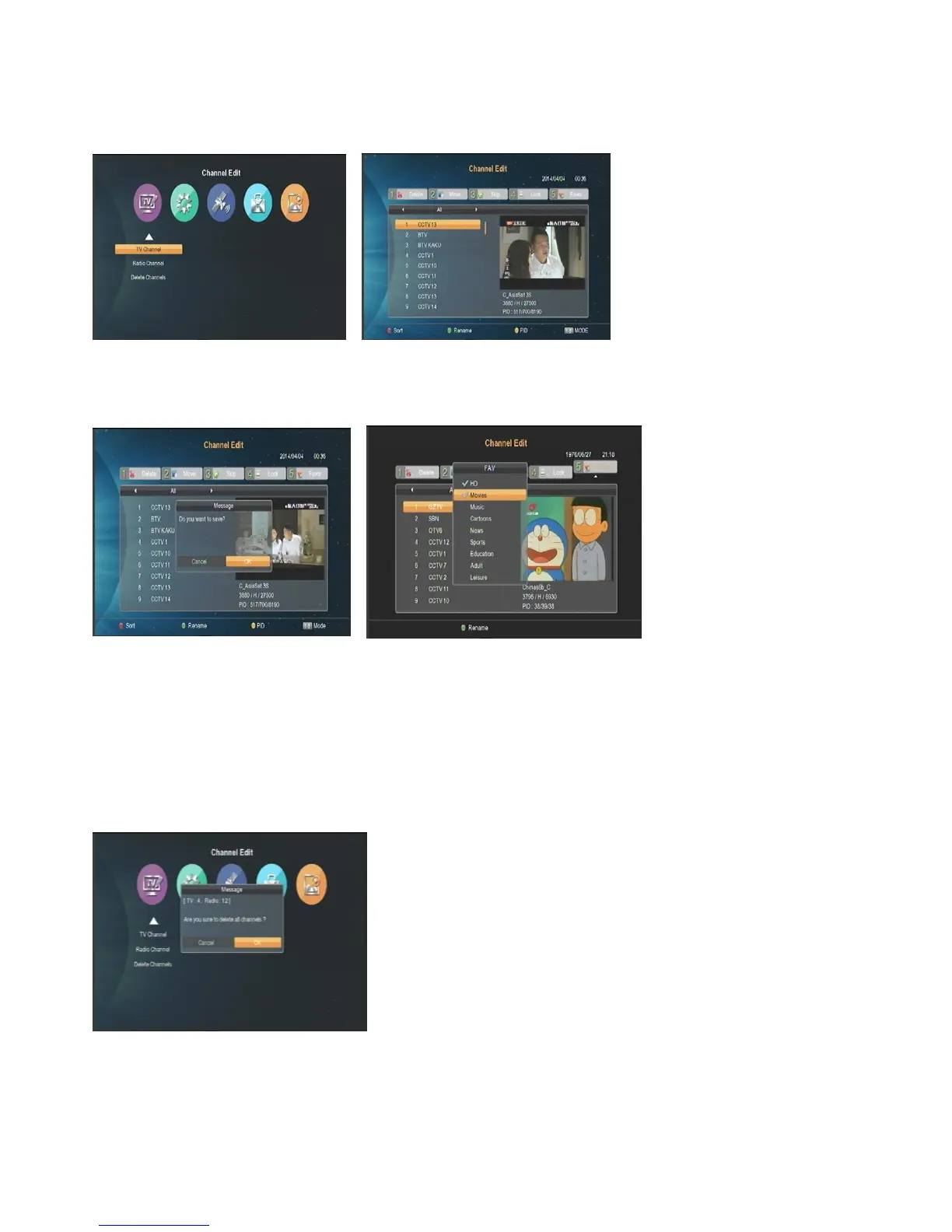
When you enter “Channel Edit” menu, the following icons will be shown:
1. You can rename/delete/move/skip/lock the channels you select, and set the PID of the channel.
2. Take delete for example: Press [1] key to enter delete mode, select the channels you don’t need by pressing
[ok] key, then press [EXIT] to confirm.
3. FAV: Press [FAV] key to enter FAV mode, select the channels by pressing [ok] key to pop up a small window,
then select the FAV groups by pressing [ok] key. After that, press [EXIT] to confirm or go on setting.
Radio Channel
Please refer to the “TV Channel”.
Delete Channels
Press [ok] key to pop up a window to delete all the TV and AV.



 To Next Page