4
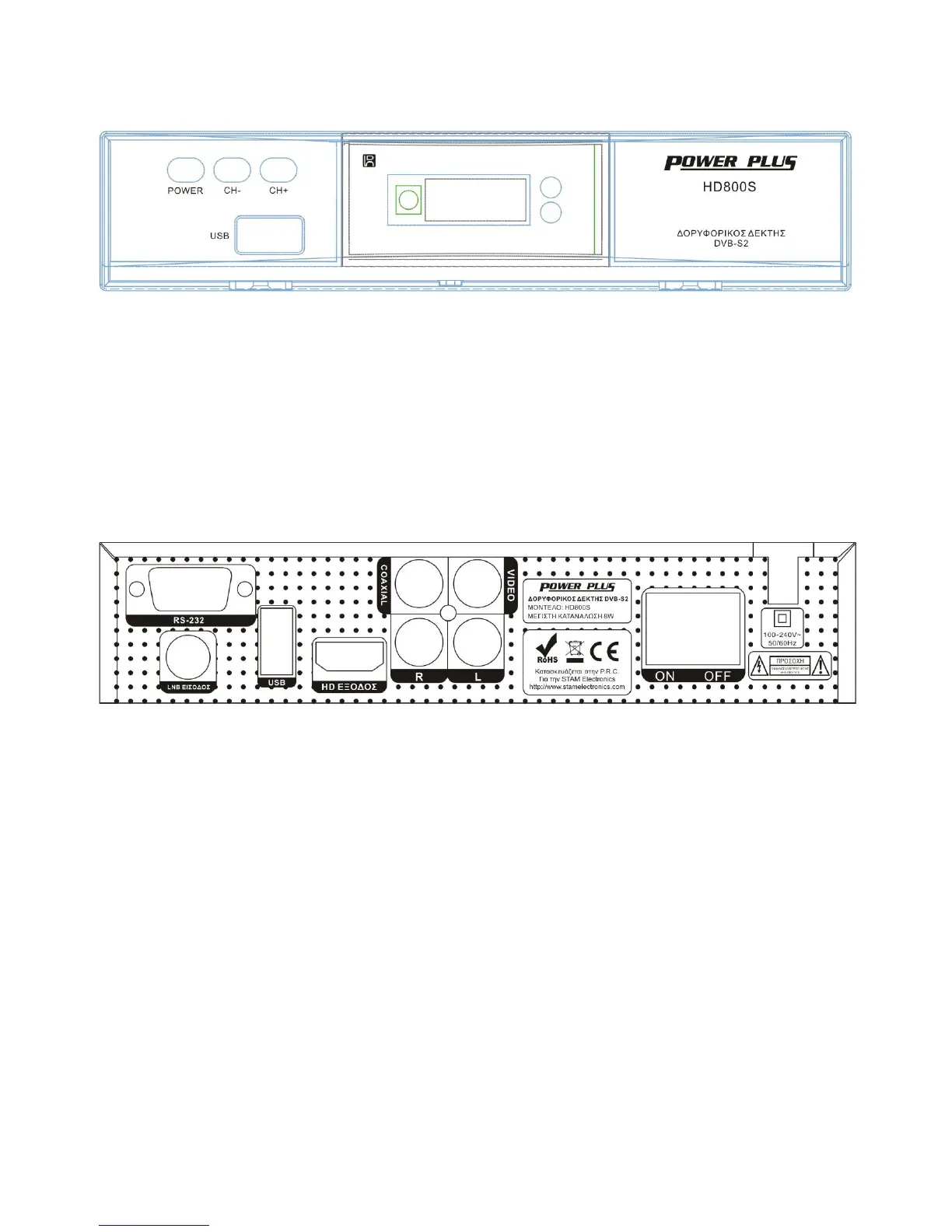
Front and rear Panel
1.Front panel
Select to do the unit as Standby mode or on
Select the previous Channel
Data input from USB storage devices
Receive the signal from the remote control
Display the channel number
The LED will be show the working mode
Connect to RS-232 terminal
Connect to satellite antenna (IF input from LNB to digital tuner)
Data input from USB storage devices
Connect to TV set HDMI input terminal
Connect to Amplifier Coaxial input terminal
Connect to TV set Video input terminal
Connect to TV set L audio input terminal
Connect to TV set R audio input terminal
Turn on/off the main power supplier



 To Next Page