5
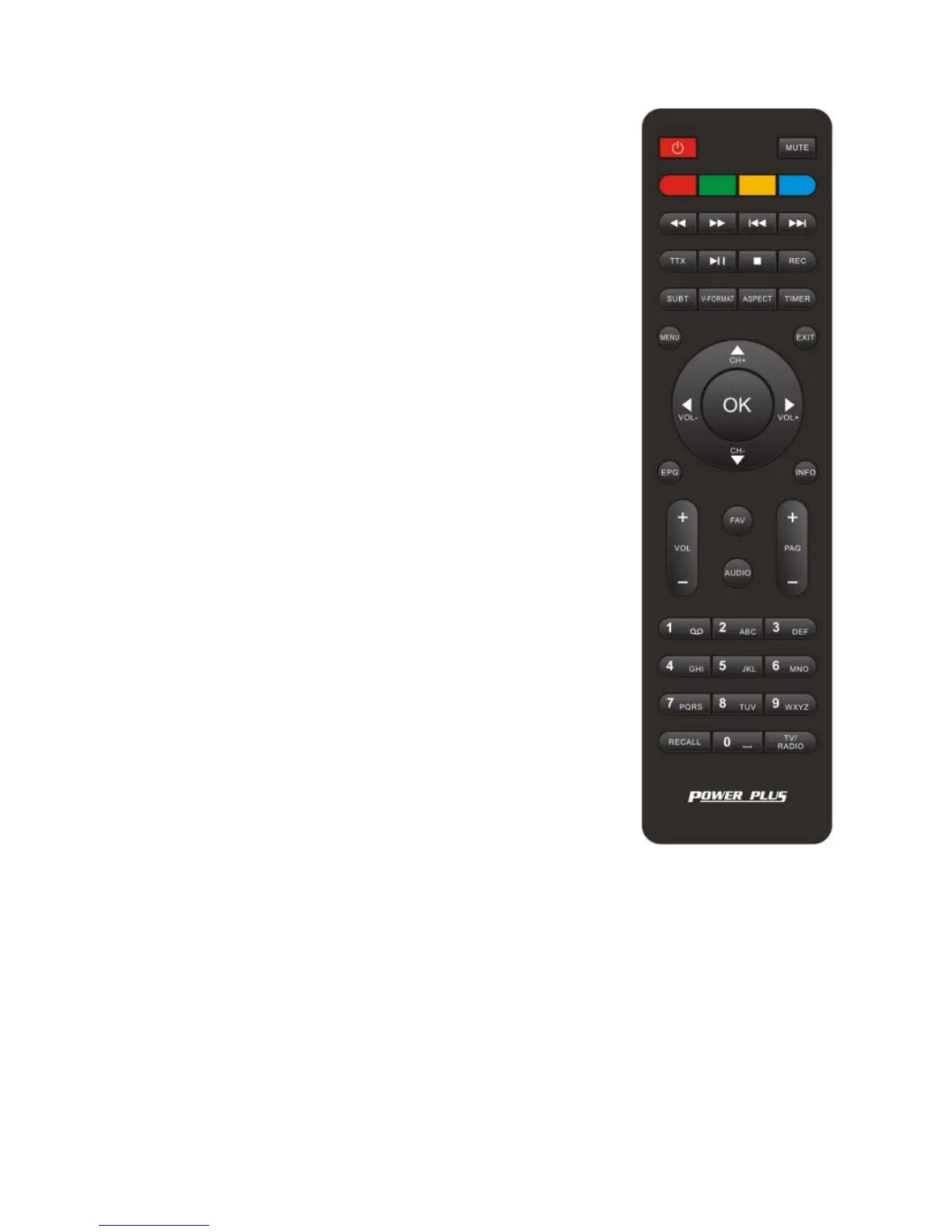
Remote control Unit (RCU)
Turn the receiver on/standby
Adjust the audio mode in full screen;
Operate different functions in screen TEXT
Zoom in and out in full screen;
Operate different functions in screen TEXT
Operate different functions in screen TEXT
Pause the current image in full screen;
Operate different functions in screen TEXT
Search backward during media play,
Search forward during media play
Skip to previous stage when play media file
Skip to next stage when play media file
Display Teletext contents
starts or resume media play
Record TV program (Personal video record)
Select Subtitles Language
Switch the HDMI 720P and 1080I,1080P
Use to access ON/OFF timer directly
Exit the current operation
Navigate through the Menus
Navigate through the Menus
Select the previous Channel
Navigate through the Menus
Navigate through the Menus
Call up the EPG (Electronic Program Guide)
Display the current program’s information
Put the current program into FAV list
Select an Audio Language or Audio Mode
Control the numeric operation
Return to the previous program



 To Next Page