19
www.powershield.com.au
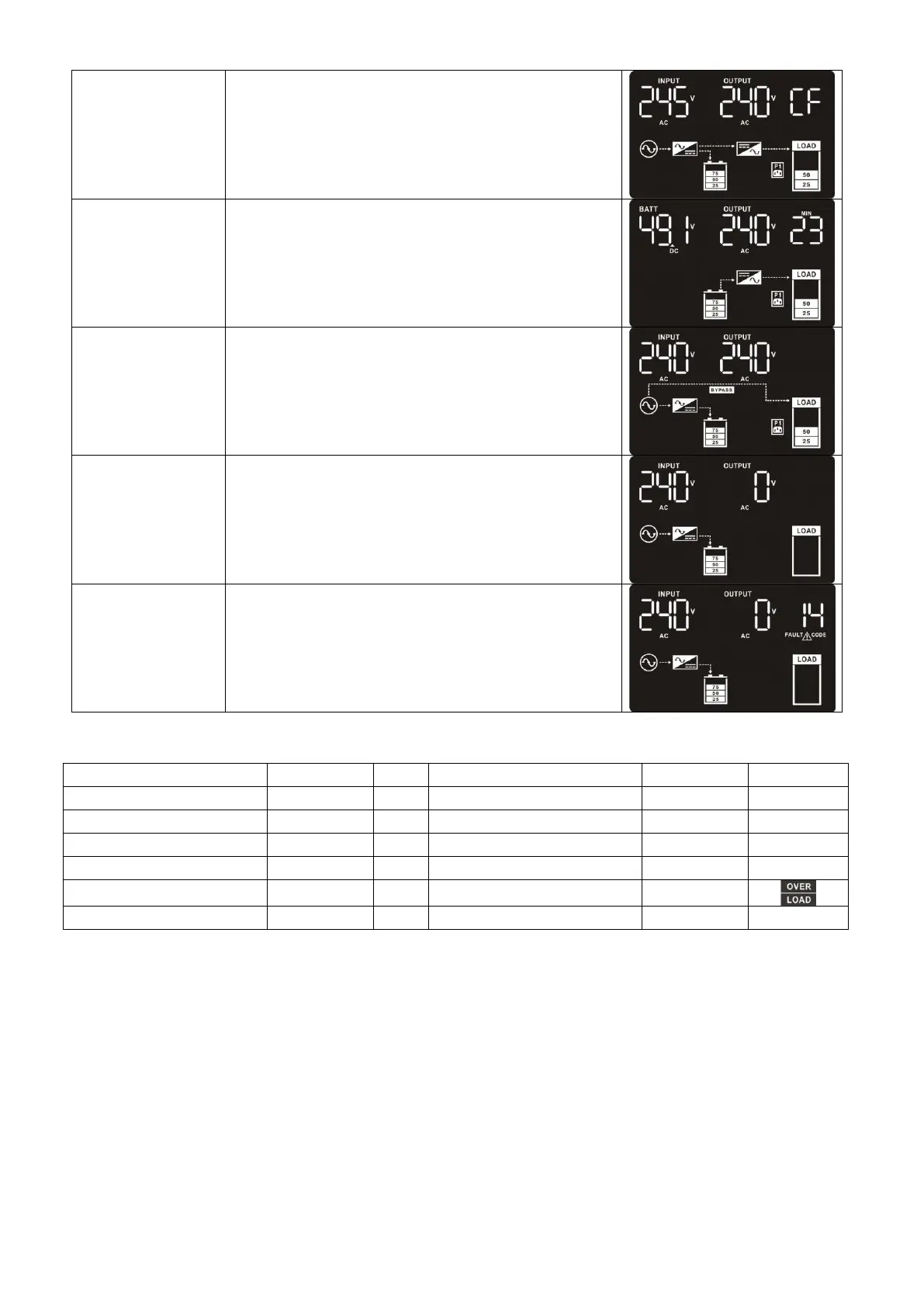
When input frequency is within 40 Hz to 70 Hz,
the UPS can be set at a constant output
frequency, 50 Hz or 60 Hz. The UPS will still
charge battery under this mode.
When the input voltage is beyond the
acceptable range or power failure, the UPS will
backup power from battery and alarm is
sounding every 5 seconds.
When input voltage is within acceptable range
but UPS is overload, UPS will enter bypass
mode or bypass mode can be set by front
panel. Alarm is sounding every 10 seconds.
UPS is powered off and no output supply
power, but still can charge batteries.
When a fault has occurred, the ERROR icon
and the fault code will be displayed.
3-7. Faults Reference Code



 To Next Page