7
www.powershield.com.au
2. Installation and setup
NOTE: Inspect the unit before installation for any evidence of mistreatment or damage of
contents inside the packaging during transport. Store the original package in a safe place for
future use.
NOTE: The PowerShield Lithium Iron Phosphate (LiFePO4) online UPS models support internal
LiFePO4 batteries. Please refer to the following model table.
Standard LiFePO4 Model with internal LiFePO4 batteries
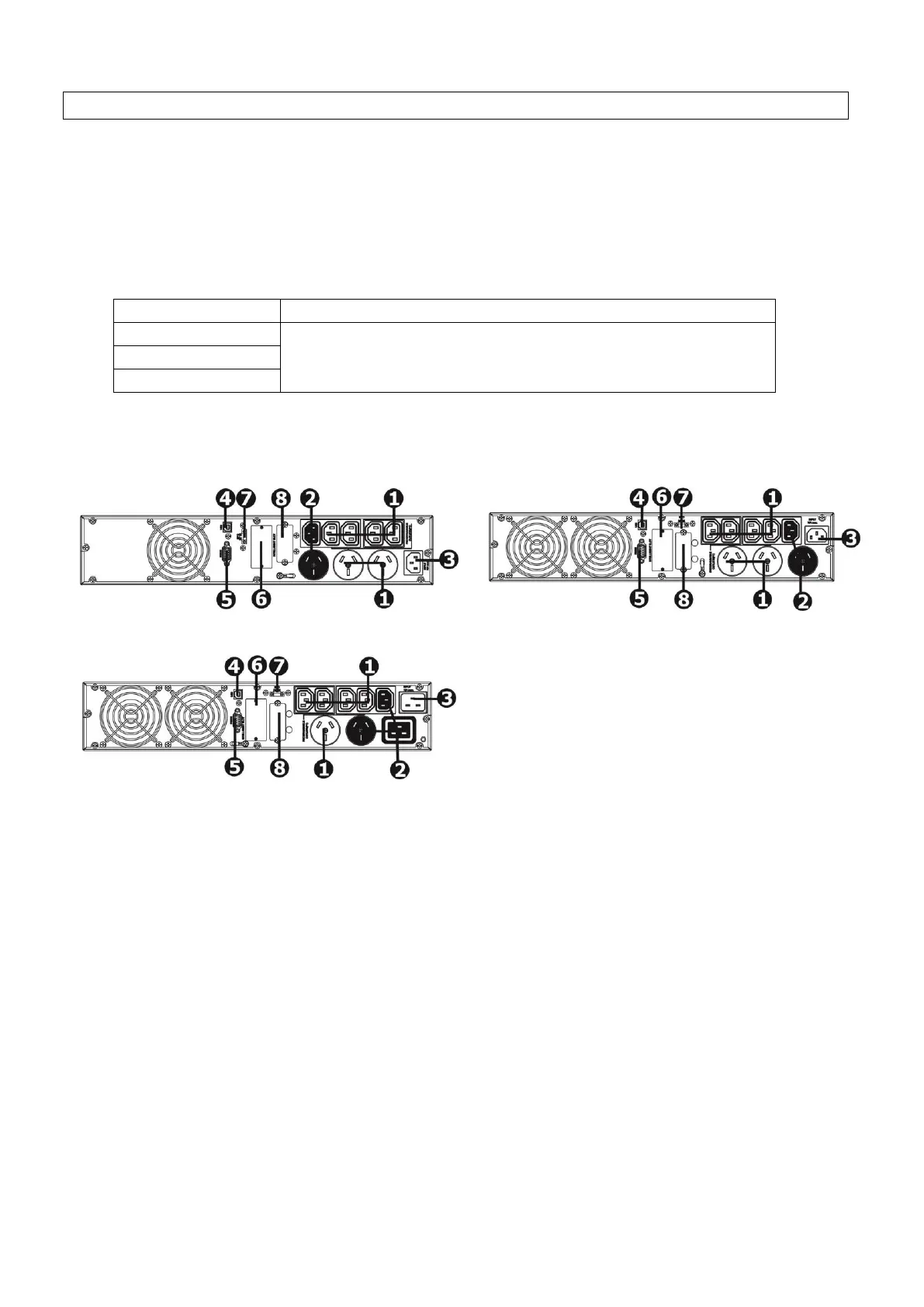
2-1 Rear panel view
1. Programmable outlets: connect to non-critical loads.
2. Output receptacles: connect to mission-critical loads.
3. AC input
4. USB communication port
5. RS-232 communication port
6. SNMP intelligent slot
7. Emergency power off function connector (EPO)
8. External battery connector



 To Next Page