www.powershield.com.au 4
2-2. Setup the UPS
Step 1: UPS input connection
Plug the UPS input cord into a two-pole, three-wire, grounded receptacle only. Avoid using
extension cords.
Centurion series come with Australian power cord in the package.
For 1000/2000VA : 10A Australian input plug to IEC socket
For 3000VA : 15A Australian input plug to IEC socket
Step 2: UPS output connection
There are two kinds of outlets on this model: programmable outlets ( Marked
in White colour ) and general outlets( Marked in black colour ). Please
connect non-critical devices to the programmable outlets and critical devices to
the general outlets. During power failure, you may extend the backup time to
critical devices by setting shorter backup time for non-critical devices.
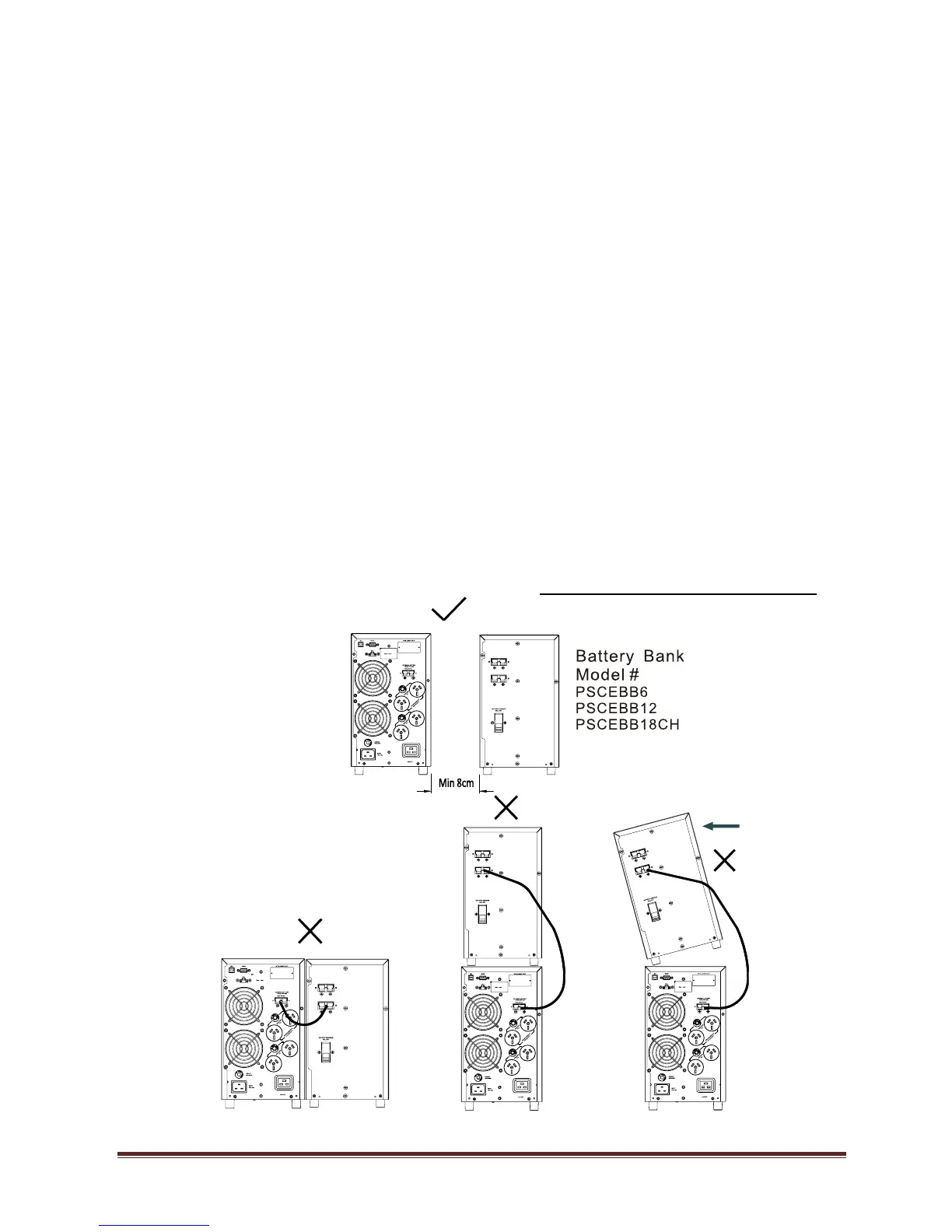
Step 3: External Battery Bank connection
There are external battery banks available on each models for gaining more battery
backup time. Please check following instruction for connecting external battery bank
to the unit.
Please provide enough space between UPS and external battery bank for
ventilation. Also, do not stack battery banks. Stacking results in a tipping hazard.
1. Remove DC connector cover from the rear panel of the unit and from the



 To Next Page