PQR
Series Model D52
Page 18
www.Powertronics.com
V2.1
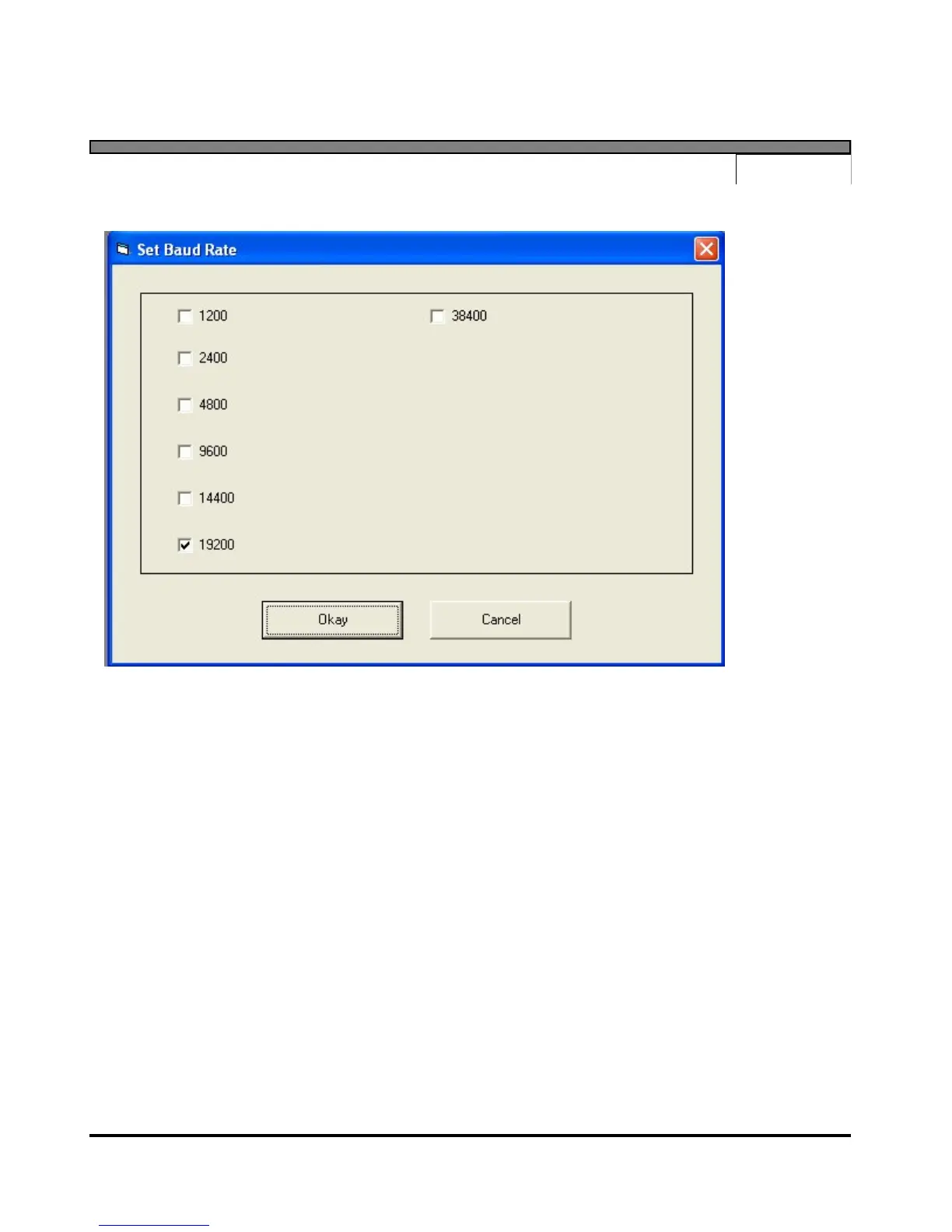
Set Baud Rate
The "Set Baud Rate" menu option allows the user to specify the data rate to be used when
communicating with the device. The program will display a dialog box with the six valid baud
rates to select from: 1200, 2400, 4800, 9600, 14400, 19200 and 38400. After selecting the
desired baud rate, pressing the "Okay" button will instruct the program to set the device baud
rate. This process may take a few seconds. The program baud rate setting will also be set to the
selected setting.
When the rate is changed, the new setting is saved in FLASH RAM, and is used as the power up
default until the next time the setting is changed.


 To Next Page