Troubleshooting
41
Powerware
®
5115 Tower UPS (500–1400 VA) U ser’s Guide S 05146640 Rev C www.powerware.com
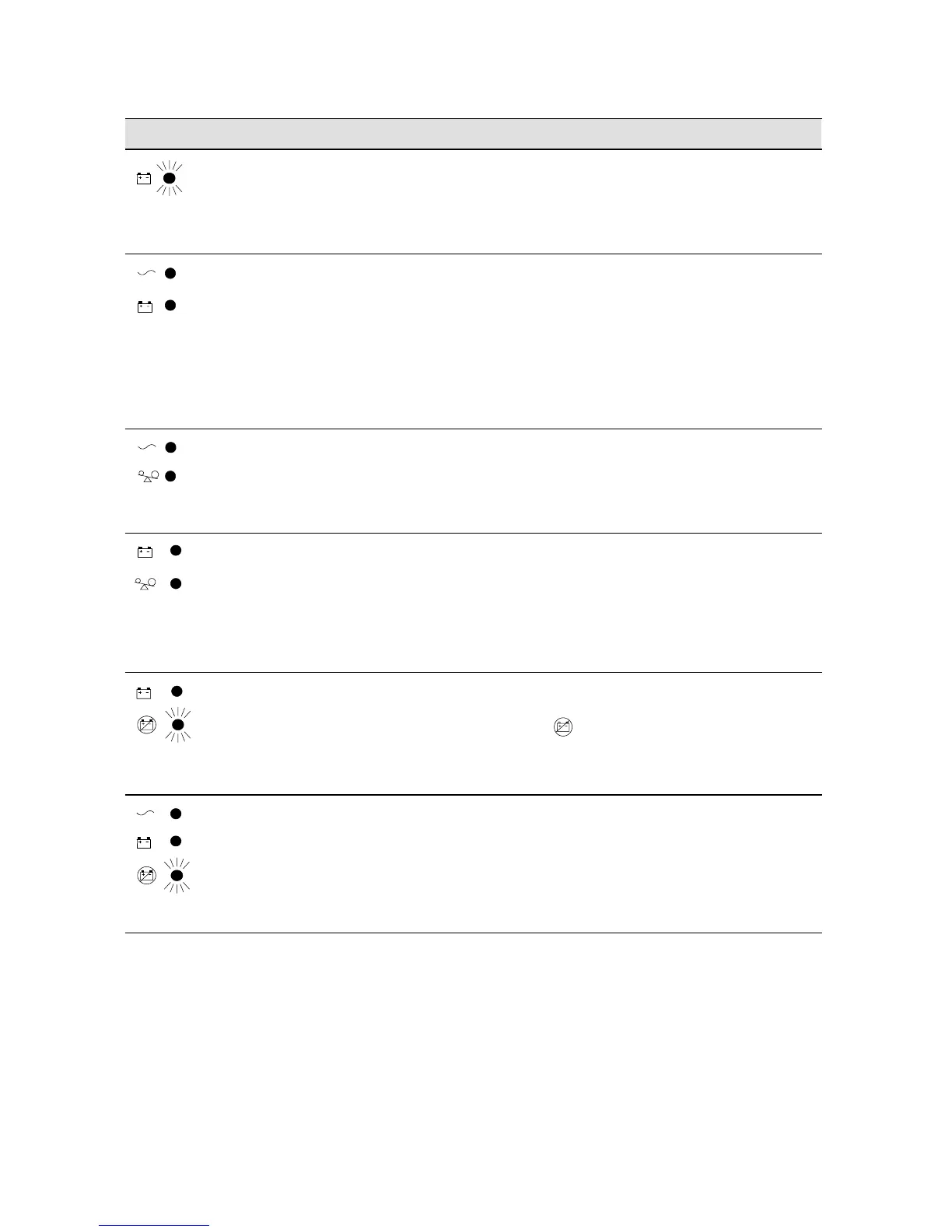
ActionPossible CauseAlarm or Condition
1 beep every 2
seconds.
The battery is running
low.
Two minutes or less of battery power remains
(depending on load configuration and battery
charge).
Save your work and turn off your equipment.
Thealarmcannotbesilenced.
1 beep every 2
seconds.
The UPS is running on
battery power because
the input voltage is too
high or too low.
Correct the input voltage, if possible. The UPS
continues to operate on battery until the
condition is corrected or the battery is
completely discharged.
If the condition persists, the input voltage in
your area may differ from the UPS nominal.
Change the UPS input voltage to match your
local voltage (see “Voltage Configuration” on
page 25).
1 beep per
second.
Power requirements
exceed UPS capacity
(overload is greater than
120%) or the load is
defective.
The UPS will automatically shut down in
3 minutes. Save your work immediately and turn
off your equipment. Turn off the UPS.
Remove some of the equipment from the UPS.
You may need to obtain a larger capacity UPS.
1 beep per
second.
The UPS is on battery,
and the power
requirements exceed
UPS capacity (overload is
greater than 120%) or
the load is defective.
Shutdown is imminent (30 seconds). Save your
work and turn off your equipment. Turn off and
unplug the UPS.
Remove some of the equipment from the UPS.
Wait at least 5 seconds until all LEDs are off and
restart the UPS. You may need to obtain a larger
capacity UPS.
Continuous
beep.
Battery test failed. Check the battery connections and be sure the
battery is fully charged.
If the indicator still flashes, see “Replacing
Batteries” on page 30 to replace the battery. Call
your service representative if the problem
persists.
Continuous
beep.
UPS internal
temperature is too high.
Shutdown is imminent. Save your work and turn
off your equipment. Turn off the UPS.
Clear vents and remove any heat sources.
Ensure the airflow around the UPS is not
restricted. Wait at least 5 minutes and restart
the UPS. If the condition persists, contact your
service representative.












 To Next Page