9113 - Product Version 9113-004 15
! All error indications in the display flash once per second. The help text explains the error.
* Error is acknowledged by either stepping through the basic setup, or by resetting the device power.
Some types of errors can only be acknowledged by resetting the device power.
** Error is acknowledged by either stepping through the basic setup, or by resetting the device power.
Error can be disregarded by selecting input type different than TC.
*** Error is acknowledged by stepping through the basic setup.
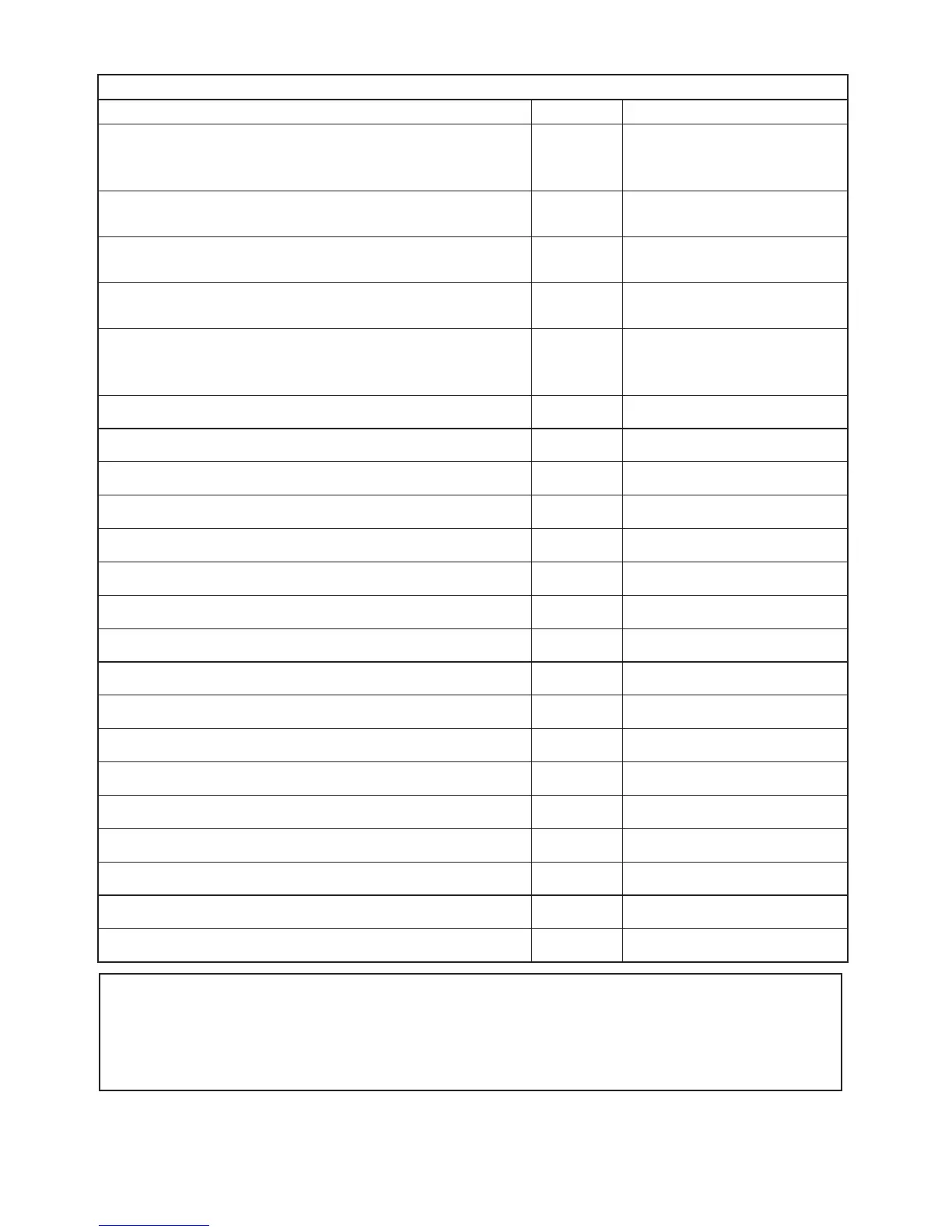
Readout at hardware error
Error search Readout Cause
Input error - check input connection and reset power IN.ER
Signal levels on input beyond
limits or connected to wrong
terminals*
Output error - check output connections and reset power AO.ER
Error in analogue output
current (SIL mode only)*
No communication NO.CO
No communication with
(4501)
Flash memory error - check configuration
FL.ER
CO.ER
FLASH error (configuration
invalid)***
Invalid configuration type or version TY.ER
Configuration read from
EEprom has invalid type or
rev. no.
Hardware error RA.ER RAM error*
Hardware error IF.ER Internal Flash error*
Hardware error SW.ER SW monitor error*
Hardware error AD.ER A/D converter error*
Hardware error AO.SU Analogue output supply error*
Hardware error CA.ER Factory calibration error*
Hardware error CM.ER Main CPU error*
Hardware error II.ER Initialisation check error*
Hardware error RS.ER Reset error*
Hardware error IC.ER Input communication error*
Hardware error M1.ER Main CPU to Ch.1 error*
Hardware error M2.ER Main CPU to Ch.2 error*
Hardware error MC.ER Main CPU config. error*
Hardware error MF.ER Main CPU Flash error*
Hardware error MR.ER Main CPU RAM error*
Hardware error MS.ER Main CPU supply error*
Hardware error MP.ER Main CPU ProgFlow error*



 To Next Page