b) Clicking on and (1/2 and 2/2) the screen will toggle TECLA TECLAS
between letters and numbers/special characters.
EDIT IMAGE
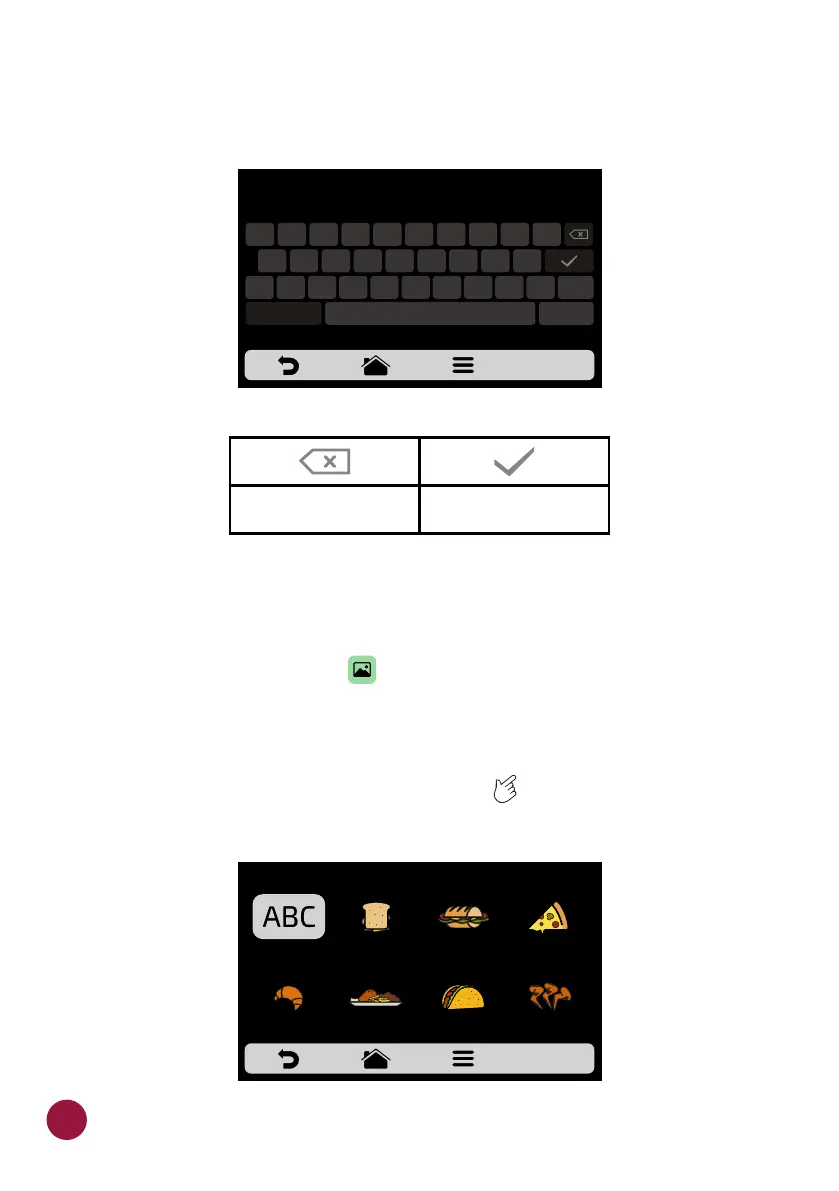
a) The Fit Express has an icon gallery that enables the user to change the
icons of the groups. Press the icon.TEC
b) A screen with an image library will be presented, browse through the
images and select the desired image. It is also possible, instead of adding an
image, to maintain the first letter of the group name as the group icon, just
click on the ABC icon. Use the gridview, sliding on the touch screen to see TEC
all images.
&123
ABCDE
Saves the name and
returns to the options
Deletes a character
CHOOSE AN IMAGE FOR THE RECIPE
FIRST
CHARACTER OF
RECIPE NAME
GROUP NAME
1
2
3 4
5
6
7
8 9 0
@
#
%
&
*
-
+
( )
!
“
<
>
‘
:
;
/
?
ABC
.
1/2 1/2
36



 To Next Page