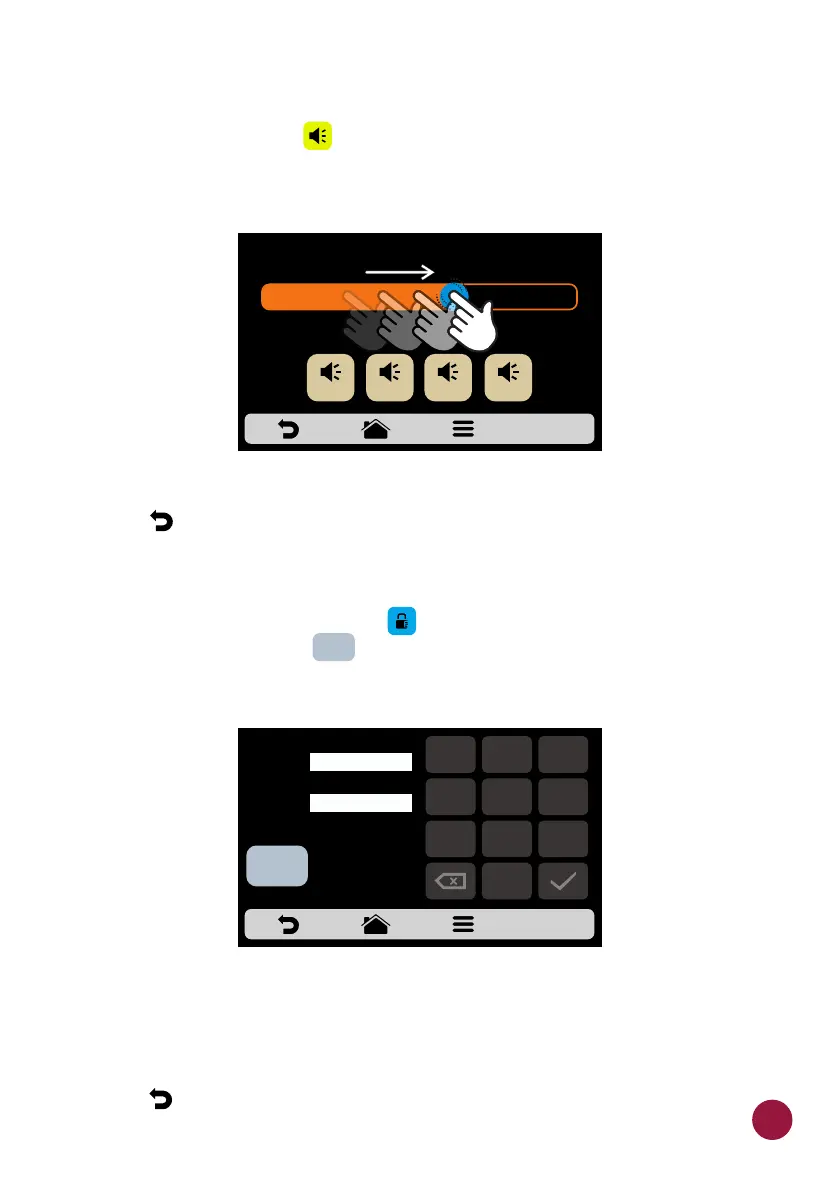
SYSTEM: VOLUME
a) In the volume screen you can switch between 4 types of sound and TEC
also change the volume of the sound by sliding your finger on the screen.
d) Use to return to the user editing options.
SYSTEM: CHANGE PASSWORD
a) To change the user's password , just type the new password and then TEC
confirm it just clicking on .TECLA
b) In case you forget the password, contact Technical Support.
c) Use to return to the user editing options.TEC
VOLUME SETTINGS
sound 2 sound 3 sound 4sound 1
Minimum Maximum
NEW
PASSWORD:
1
2
3
4
5
6
7
8 9
0
CONFIRM
PASSWORD:
OK
OK
63



 To Next Page