0 10 20 30 40 50 60 70 80 90 100
0
0
250°C
GROUP1
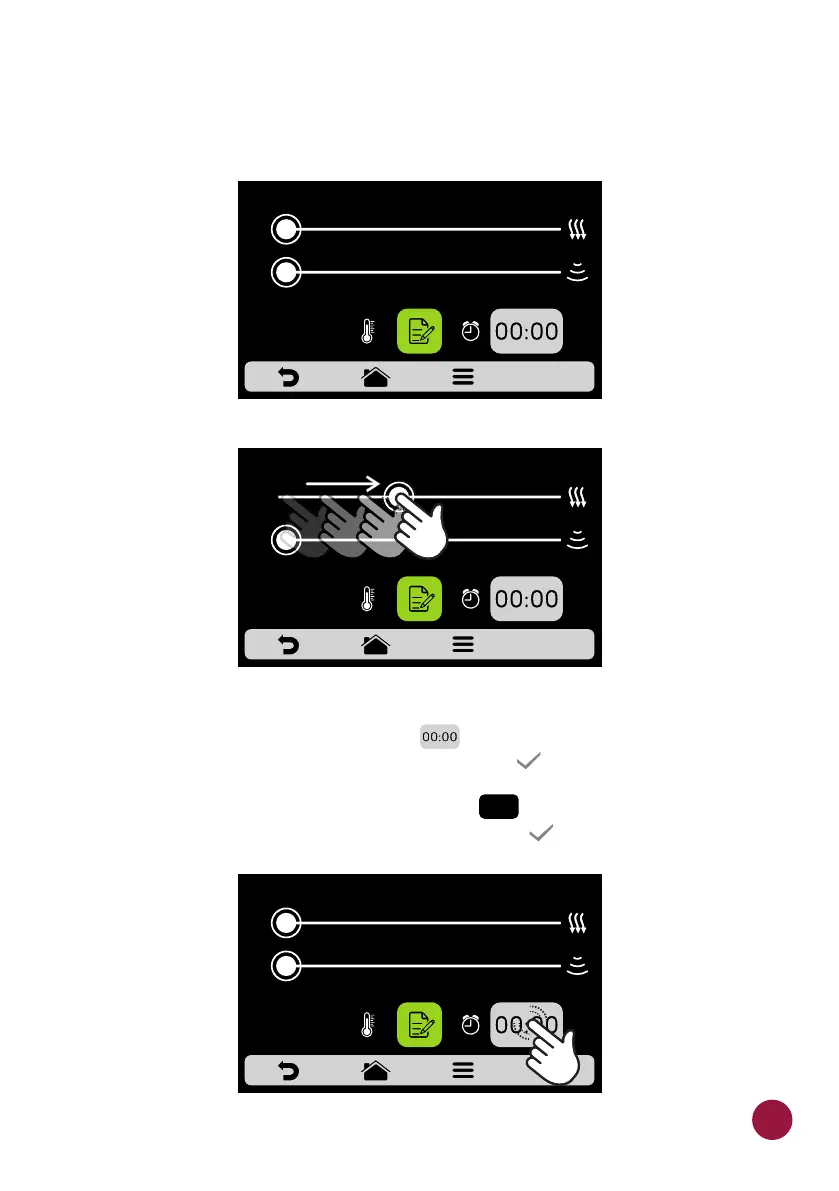
c) To change the Speed of Hot Air and Microwaves , just swipe the finger
over the bar of each parameter or click on the desired location.
d) To set the time click on the icon . A keyboard will appear on the TECL
opposite side, set the desired value and click on .TE
e) To define the temperature click on the icon . A keyboard will appear on TECL
the opposite side, set the desired value and click on . TE
0 10 20 30 40 50 60 70 80 90 100
0
0
250°C
GROUP1
0 10 20 30 40 50 60 70 80 90 100
0
0
250°C
GROUP1
250°C
GROUP1
45



 To Next Page