12
3 Hookup
3.5 Internal FX Bus
StudioLive
™
ARc Series
Owner’s Manual
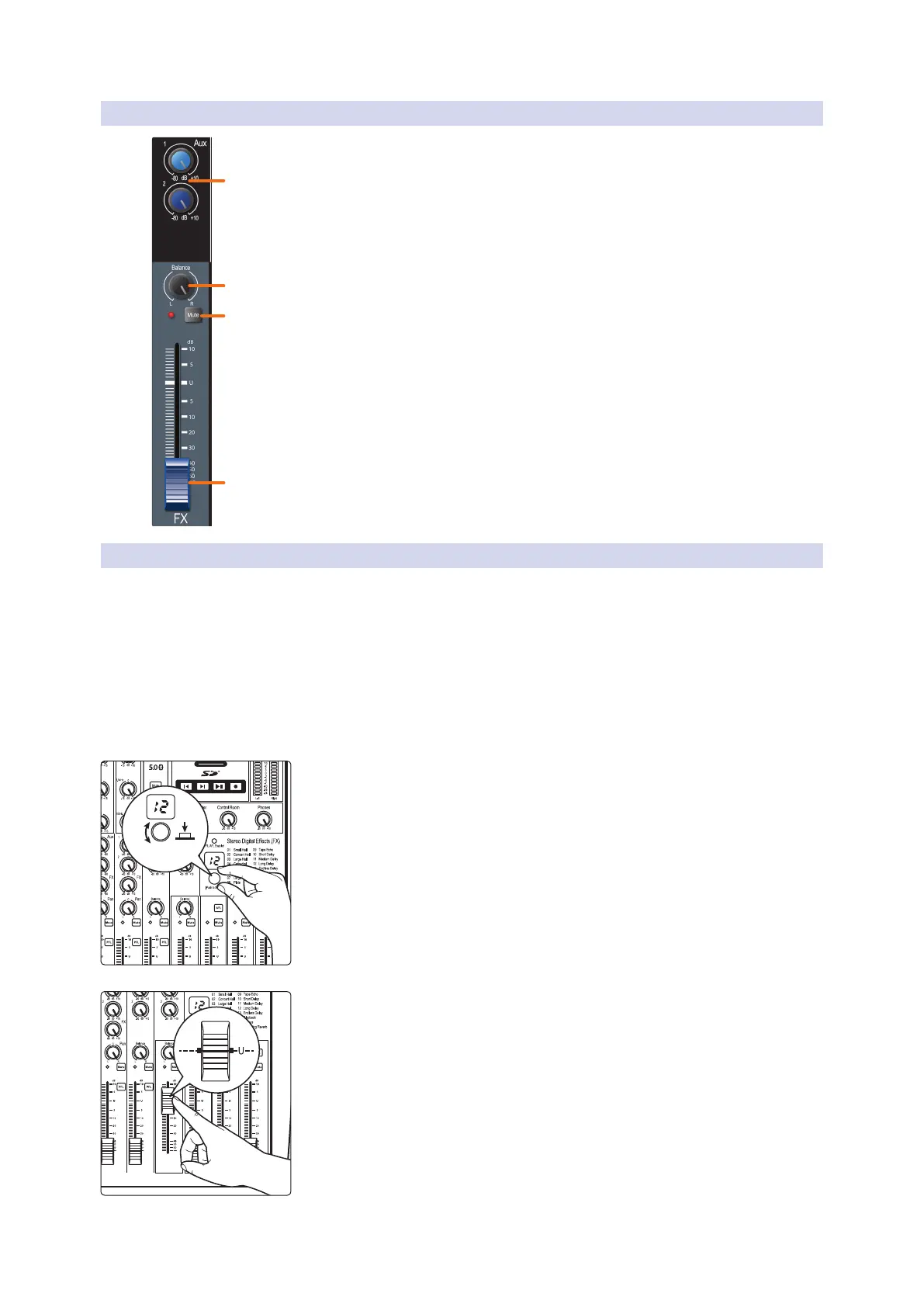
3.5.2 Internal FX Bus Return
The internal FX return allows you to adjust the amount of the effects
output you would like in your main and monitor mixes.
1. Aux sends. These are the level controls for the effects output in each aux mix. The
AR16c and AR12c provide two aux mixes; the AR8c provides one aux mix. See
Section 3.4.2 for more information on creating aux mixes.
2. Balance. This sets the FX return’s position in the main stereo mix.
3. Mute button. This button will mute or unmute the FX return. The LED to
the left of it will illuminate red when the monitor output is muted.
Power User Tip: Mute the FX return during performance breaks while the
band is speaking to the audience to create a more professional show.
4. FX level. Adjusts the master level of the effects output in your main mix.
3.5.3 Creating Internal Eects Mixes
There are at least two main advantages to creating an effects mix, rather than
inserting an effect in a channel. First, several channels can be sent to a single
processor. In addition to greatly simplifying the number of parameters you
have to control, this can create a cohesive sound in your mix. The second
advantage of creating an effects mix is that you can vary the level sent from
each channel to the processor, rather than patching the output directly into the
effect. This allows you to add a lot or a little of an effect to any given channel.
Your StudioLive ARc-series mixer’s internal effects bus is used much in
the same way the monitor buses are used to create monitor mixes.
1. To begin, select the effects preset you would like to use by turning the
Effects encoder to the desired number and pressing the encoder.
2. Raise the FX return output level to unity.
TURN, THEN PRESS
TO SELECT










 To Next Page