27
6 Capture 2
6.1 Installation Instructions
StudioLive
™
ARc Series
Owner’s Manual
6 Capture 2
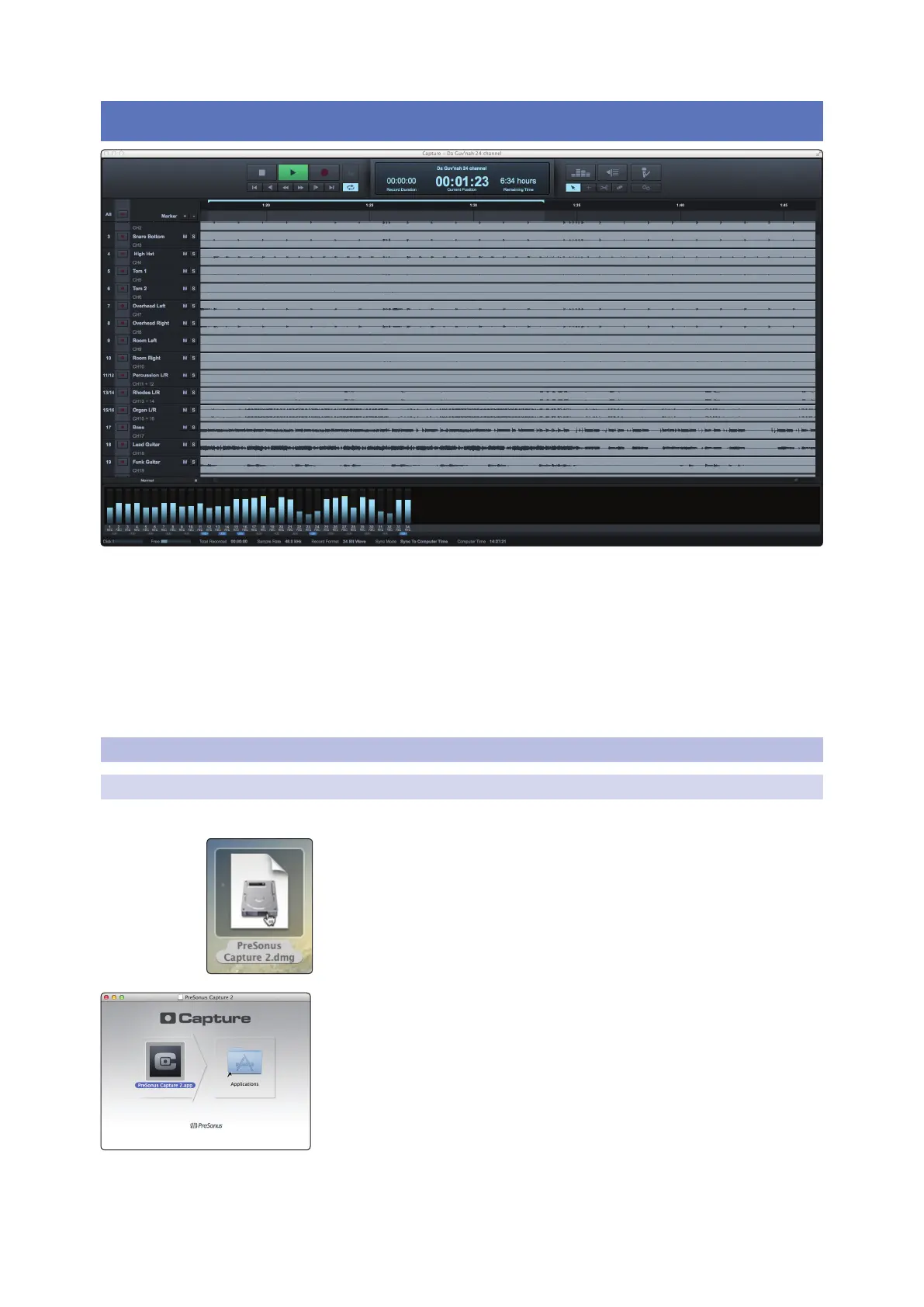
PreSonus® Capture™ 2.0 is a multitrack digital-audio recording application designed
to make recording with StudioLive™ mixers quick and easy. With the look and feel of
a digital multitrack hard-disk recorder, it is instantly familiar. It uses the same high-
quality audio engine as PreSonus’ groundbreaking Studio One® DAW, and its Session
files can be opened directly in Studio One—no conversion or exporting required.
Capture 2 was designed exclusively for StudioLive-series mixers,
allowing instant setup and recording directly from the mixer, with
no configuration. Just launch Capture 2 and click Record Now. At
the end of the show, click Stop, save the file, and you’re done!
6.1 Installation Instructions
6.1.1 macOS
Installing Capture 2 on macOS machines is as simple as drag-and-drop.
1. Double-click on the Capture .dmg file.
2. Drag the Capture 2 icon to the Applications folder shortcut.










 To Next Page