52
7 Studio One Artist Quick Start
7.2 Setting Up Studio One
StudioLive
™
ARc Series
Owner’s Manual
7.2.1 Conguring Audio Devices
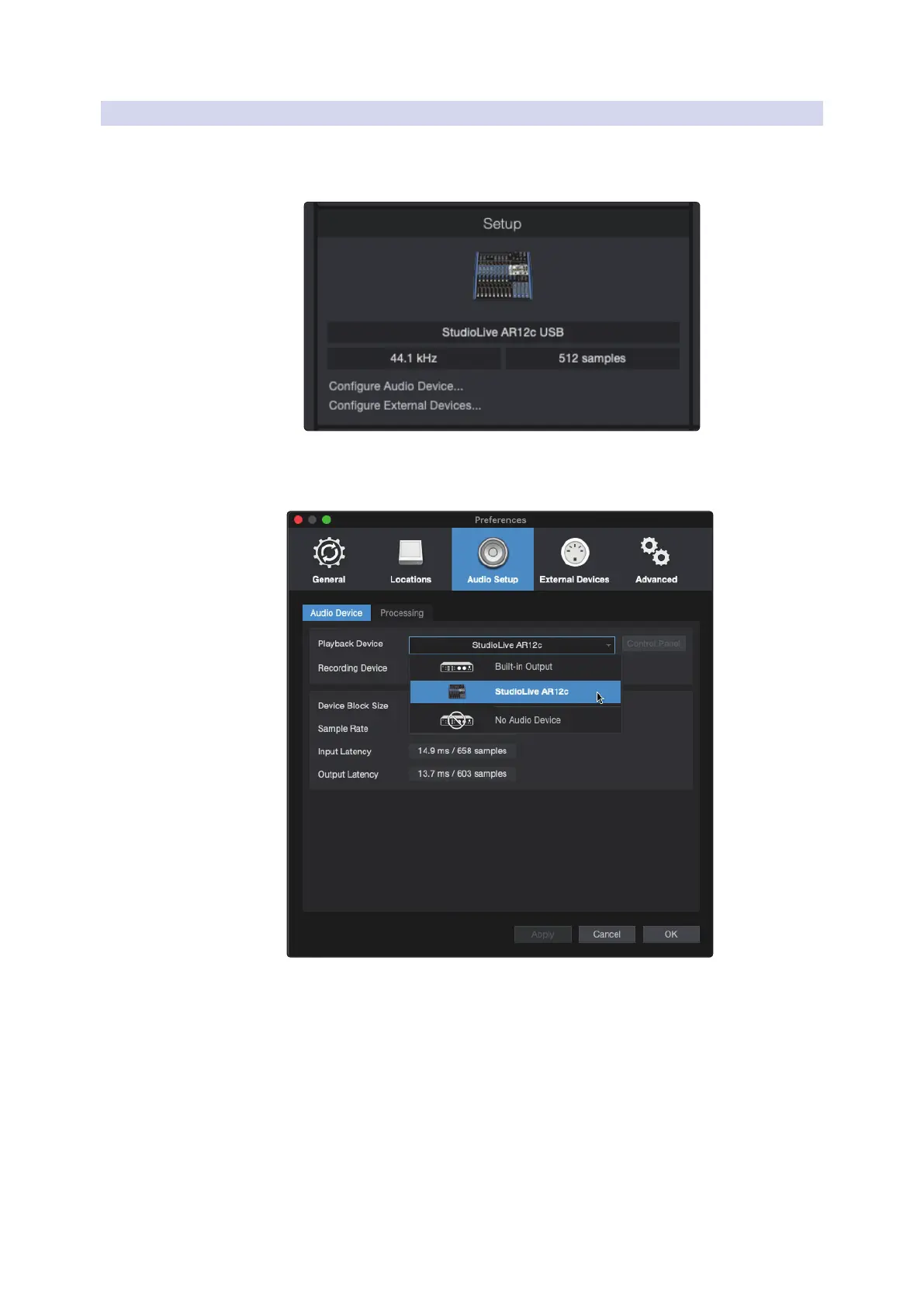
1. In the middle of the Start page, you will see the Setup area. Studio One
Artist automatically scans your system for all available drivers and selects
a driver. By default, it will choose a PreSonus driver if one is available.
2. If you do not see your device listed on the Start page when
you launch Studio One, click on the Configure Audio Devices
link in the Setup area to open the Options window.
In the Options window, click on the Audio Setup tab and
select your device driver from the pull-down.










 To Next Page