60
7 Studio One Artist Quick Start
7.3 Creating a New Song
StudioLive
™
ARc Series
Owner’s Manual
7.3.3 Recording an Audio Track
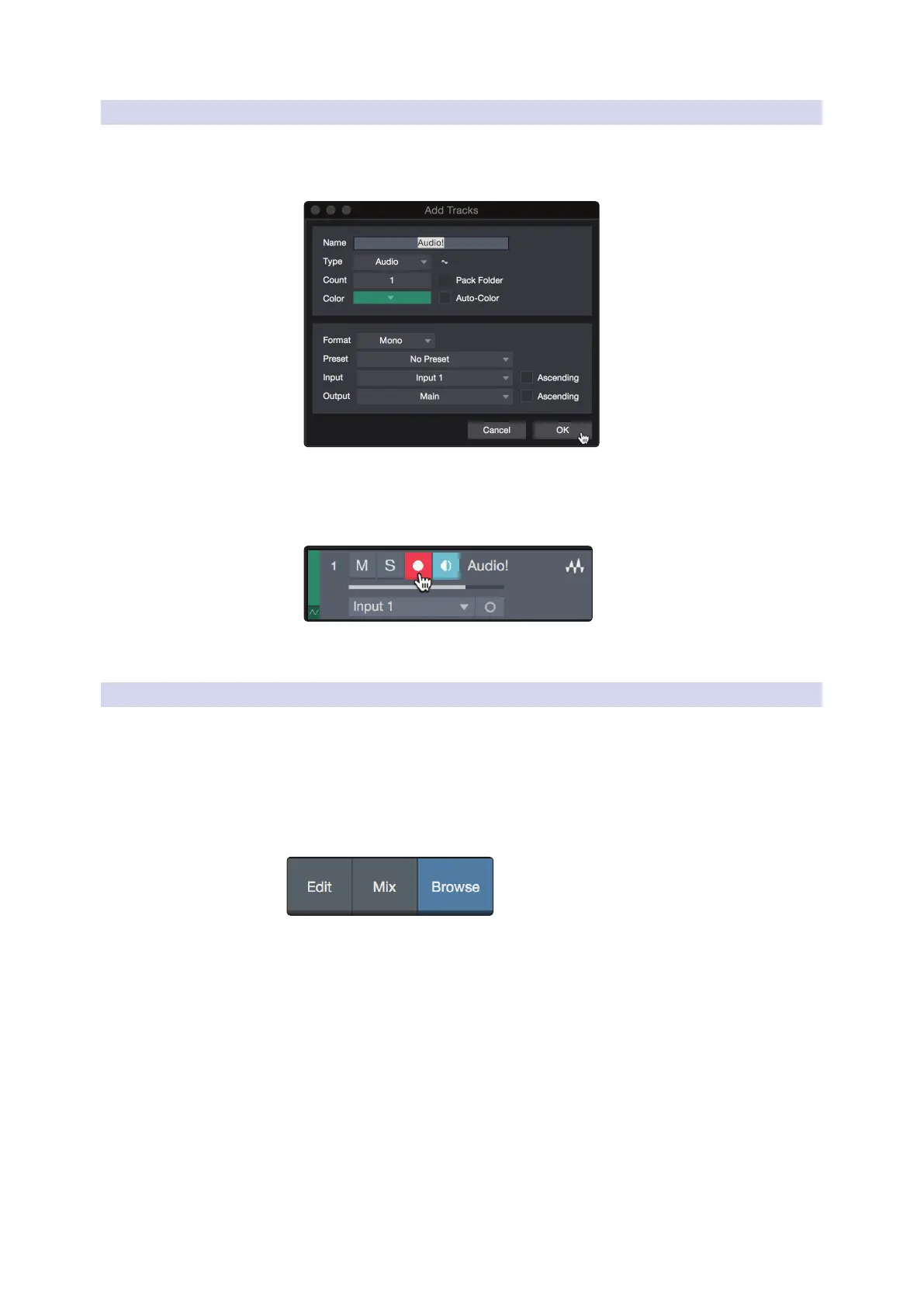
1. To begin recording, create an audio track from the Add Tracks
window, set its input to Input 1 on your StudioLive ARc-series
mixer, and connect a microphone to the same input.
2. Select Record Enable on the track. Turn up the Input 1 level on your audio
interface while speaking/singing into the microphone. You should see
the input meter in Studio One Artist react to the input. Adjust the gain
so the input level is near its maximum without clipping (distorting).
You are now ready to start recording. For complete instructions, please consult the
Studio One Reference manual located in Help | Studio One Reference Manual.
7.3.4 Adding Virtual Instruments and Eects
You can add plug-ins and instruments to your Song by dragging-and-dropping
them from the browser. You can also drag an effect or group of effects from one
channel to another, drag in customized effects chains, and instantly load your
favorite virtual-instrument preset without ever scrolling through a menu.
Opening the browser.
In the lower right corner of the Arrange window are three buttons:
• The Edit button opens and closes the audio and MIDI editors.
• The Mix button opens and closes the Mixer window.
• The Browse button opens the browser, which displays all of the
available virtual instruments, plug-in effects, audio files, and MIDI files,
as well as the pool of audio files loaded into the current session.










 To Next Page