23
5 Connecting to a Computer
5.2 Installation for macOS
StudioLive
™
ARc Series
Owner’s Manual
5.2 Installation for macOS
The StudioLive ARc mixers are class compliant audio devices in macOS. No
installation is required. Just connect your mixer to a free USB connection
5.2.1 Using the StudioLive for System Sound
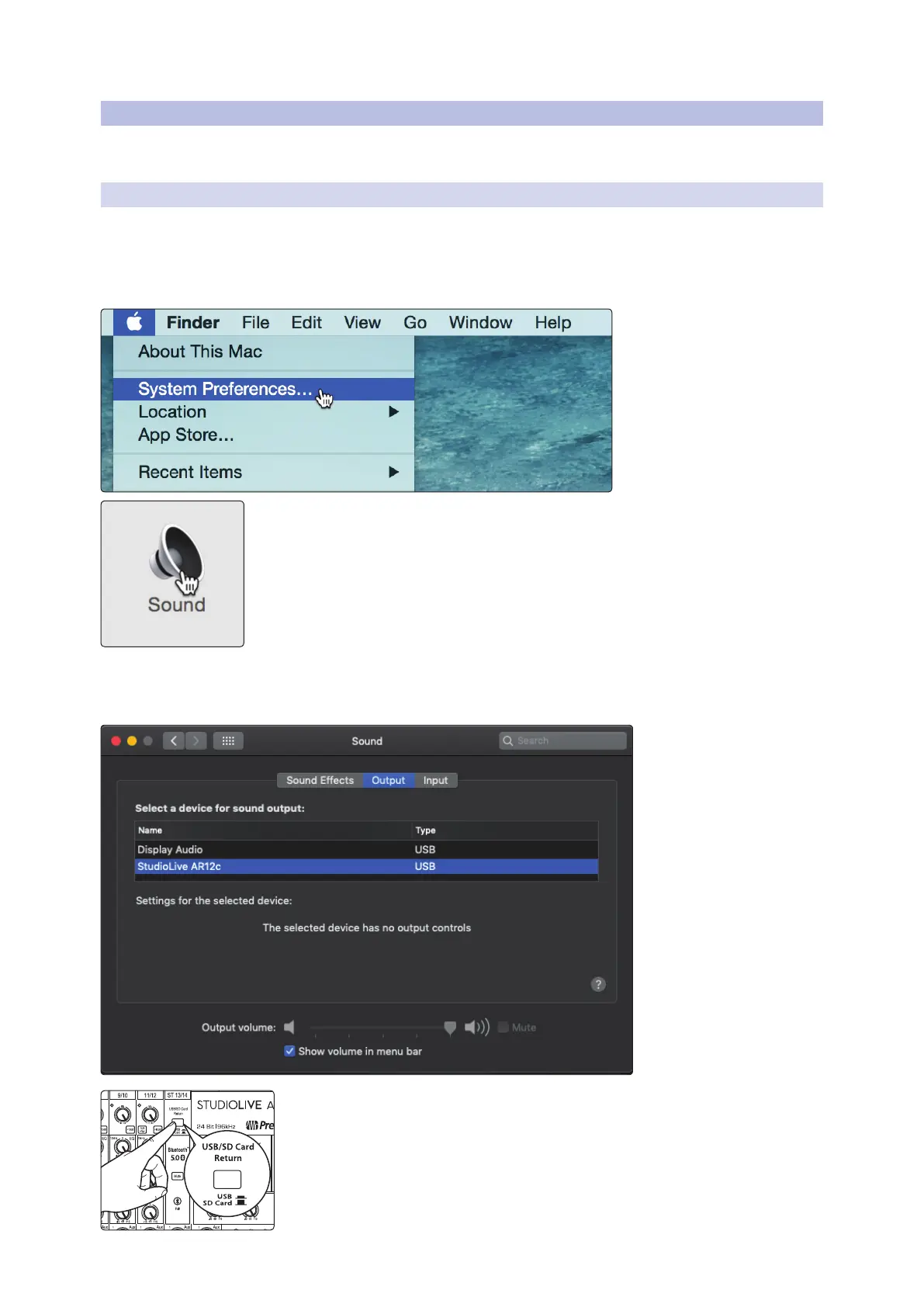
You can configure your StudioLive ARc-series mixer as the
audio interface for computer system audio (for iTune playback,
Skype, etc.) from the System Preferences menu.
1. Open System Preferences
2. Open your System Sound Preferences
3. Select your StudioLive ARc-series mixer from the Outputs
list. If you would like to use your StudioLive mixer for
System input, select it from the inputs tab as well.
To playback system audio from your computer through your mixer, press the USB/SD
Card Return button on the Super Channel and make sure it is in the down position.










 To Next Page